
Standard Operating Procedure
Inbound Logistics Receiving & Material Handling
Inbound Logistics · All Nellis Auction Locations
| Document ID | SOP_Operations_Inbound Logistics Receiving & Material Handling_05.11.2026_V1 |
| Version | 1.0 |
| Effective Date | 5/11/2026 |
| Process Owner | Inventory Processing Area Manager SOP Originally Authored by: Jada Tingley, Chris Sandoval, Richard Galvan |
| Department | Inbound Logistics, Receiving & Material Handling (Managed by Inventory Processing) |
| Facility | All Nellis Auction Locations |
Purpose
To ensure operational consistency, safety, and efficiency in handling inbound trucks/loads, and various forms of inventory including but not limited to pallet-level and unit-level.
Scope & Audience
Scope
Inbound Operations, Outbound operations, Inventory/Material handling, and Safety and Compliance.
Audience
Material Handlers, Forklift Operators, Area Managers, Operation Manager, and General Manager
Roles & Responsibilities
| Role | Responsibility | Description |
|---|---|---|
| Material Handler | Processing Support | Receiving, Downstack, Upstack, HPC, Trash management |
| Forklift Operator | Equipment Operation & Movement | Loading, Unloading, and Inventory Movement |
| Area Managers | Load & Floor Management | Inventory control, outbound, inbound, load management, Labor IQ |
| Certified Trainer | Training & Certification | Train in all areas, receiving, downstack, upstack, feed line, trash management, sorting, Cargo navigation, and inventory |
Definitions & Key Terms
| Term | Definition |
|---|---|
| Downstack | Moving processed items from the processor to the putaway staging |
| Inventory Loading | Loading the processor line full of product and cutting open boxes |
| Feed Line | Ensuring the product is always staged at a processor's station, and removing XL items from the station. |
| High Piece Count (HPC) | Loading HPC processors and cutting open all boxes for processing |
| Trailer Dock & Release (TDR) | The process used to safely control a trailer at a dock door. TDR includes checking a trailer in before unloading (securing with glad hand locks, wheel chocks, and dock plate) and closing it out after work is complete to confirm the trailer is safe to release or move. |
| Bill of Lading (BOL) | An official shipping document that outlines what is inside a trailer. It includes shipment details such as shipper, destination, number of pallets or cartons, and product description. It is used to verify freight accuracy during receiving and shipping. |
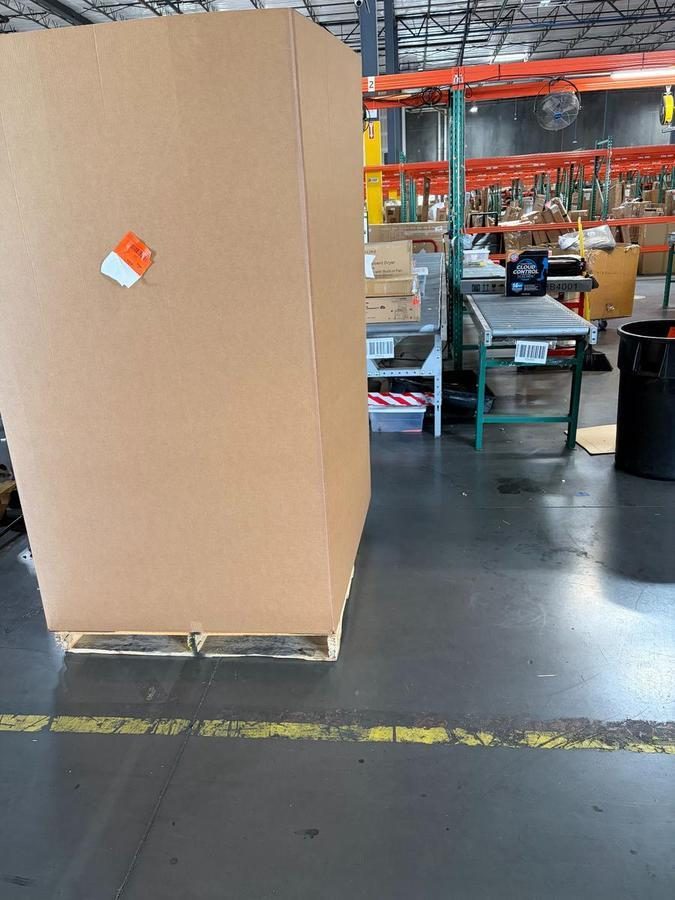
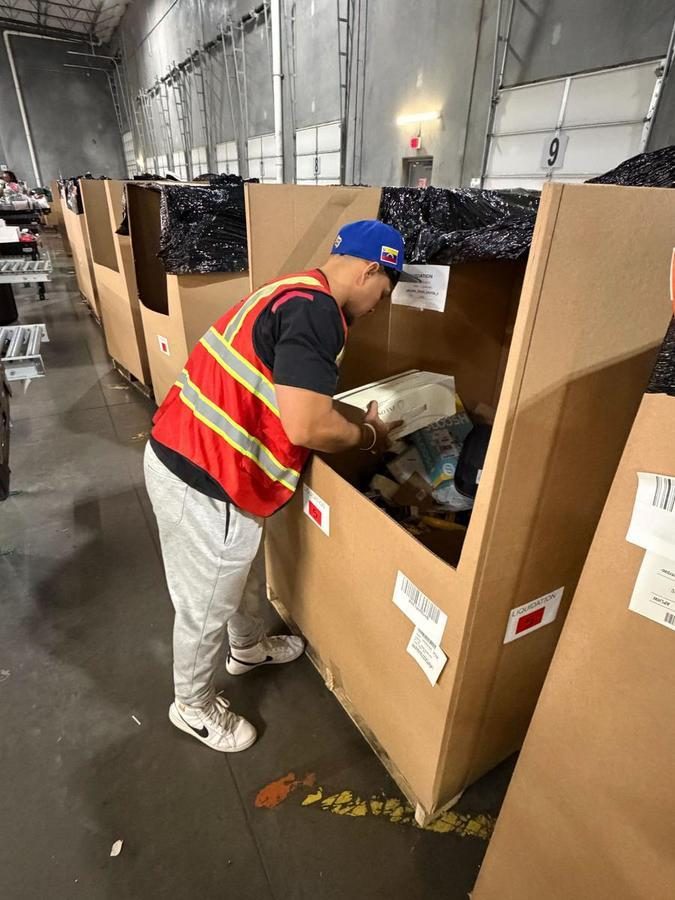
| Shuttle Box | A large, heavy duty cardboard container (typically on a pallet) used to hold loose or bulk items and commonly used during handstack unloads to consolidate product before processing. |
| Speedpack | A wheeled container used to quickly collect and transport processed items from the conveyor to staging or Putaway areas. Designed for efficiency and easy movement across the floor. |
| Load or Load ID | A unique identifier assigned to a specific shipment (inbound or outbound). The Load ID is used in the system to track all pallets, inventory, and movement associated with that shipment from start to finish. |
| Cargo | The warehouse management system used to receive, tag, track, and manage inventory throughout the building. Cargo is used for creating pallet tags, scanning inventory, and tracking Load IDs to maintain accuracy across all movements. Cargo is also used to track trailer visibility across the operation. This includes locating where trailers are positioned on the dock, verifying door assignments, monitoring load progress, and updating trailer statuses in real time to ensure alignment between physical operations and the system. |
| Pallet (Inventory) | A unit of inventory consisting of product stacked on a pallet or stacked inside of shuttles and assigned a unique scannable tag. Each pallet is tracked individually in the system and must be scanned at every movement point to maintain accuracy. |
| PIT or MHE | Powered Industrial Trucks / Material Handling Equipment |
| CBT | Computer Based Training |
Required Supplies & PPE
| Equipment / Supply | Supplier / Item Number | Photo / Reference |
|---|---|---|
| Safety Vest | “Reflective Safety Vests with Pockets, High Visibility Mesh” Amazon - B0D4VKDD8H | 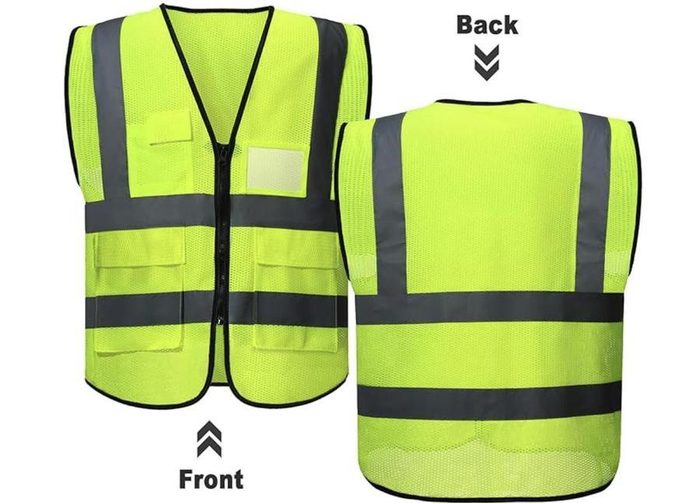 |
| Gloves | “Dyneema® Diamond Flex, Cut Resistant Gloves” Uline - S24007 |  |
| Box Cutter | “E-Z Glide Knife” Uline - H-723G | 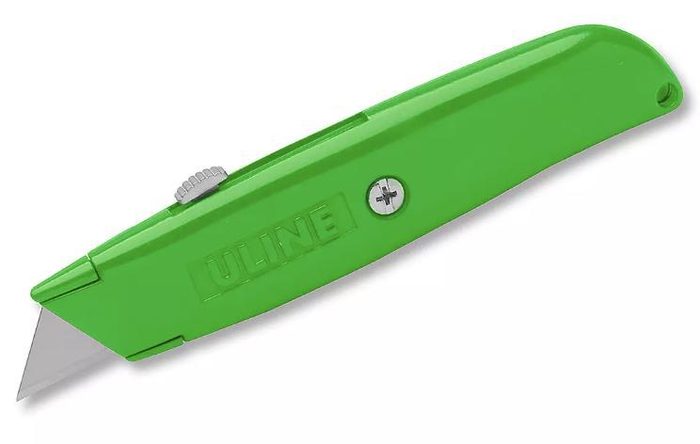 |
| Wheel Chocks | “Wheel Chock and Long Handle” Uline - H-9531ORG |  |
| Glad Locks | “Trailer Locks” Uline - H907R | 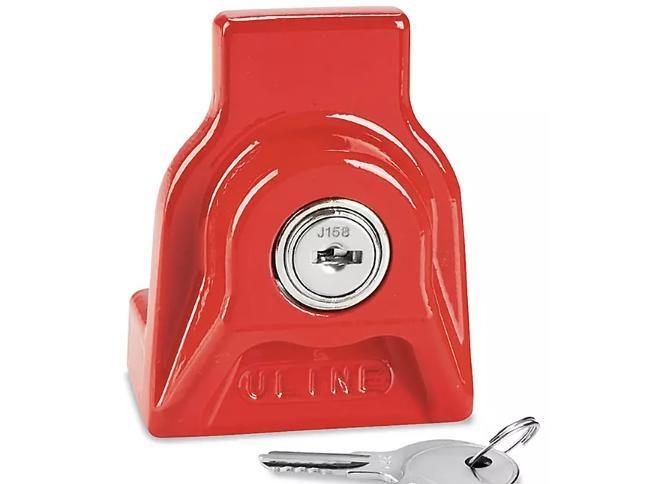 |
| Trailer Seals | “High Security Truck Seals” Uline - H-435 | 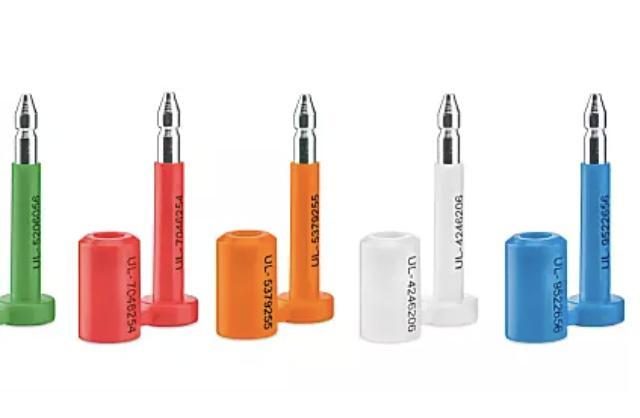 |
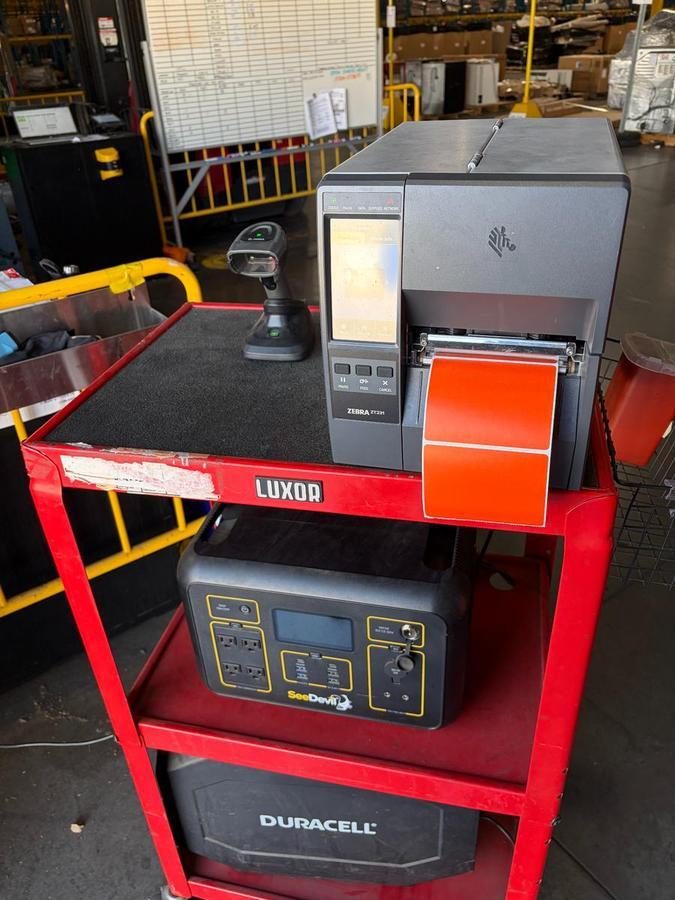
| Printer | “Zebra ZT231 Barcode Printer” Decision Point Technologies |  |
| Labels | “Industrial Direct Thermal Labels, Orange ” Uline - H - S9628O |  |
| Scanner | “Datalogics” ScannerDecision Point Technologies - |  |
| Lanyard | “3134 Black Barcode Scanner Sling Lanyard” Amazon -3134 | 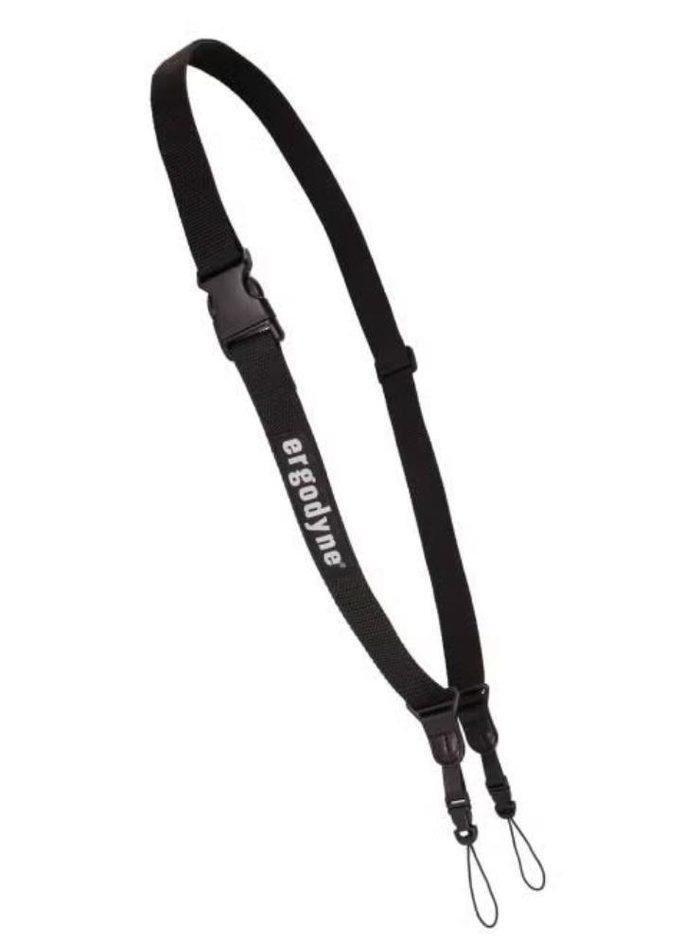 |
| Forklift | “GCU 25 Toyota” | 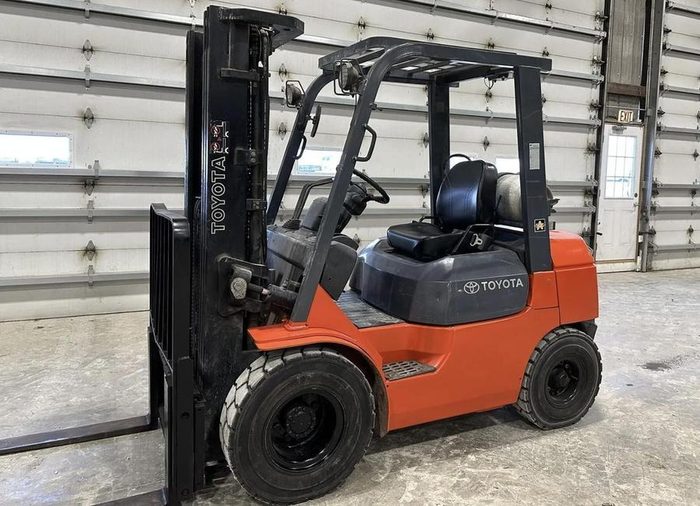 |
| Pallet Jack | “Industrial Pallet Truck“ Uline H-5387 | 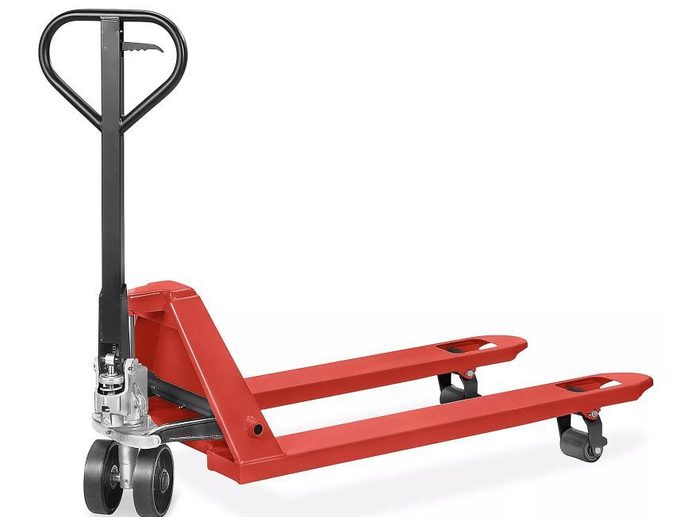 |
| Red Cart | “Panel Truck, carpeted deck” Uline H-3174 | 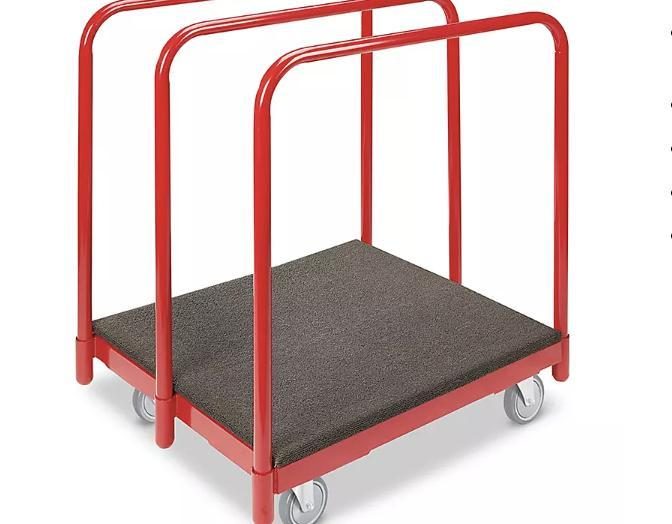 |
| Floor Dollies | “Carpeted Dolly W 4” castors” Packaging Exchange - | 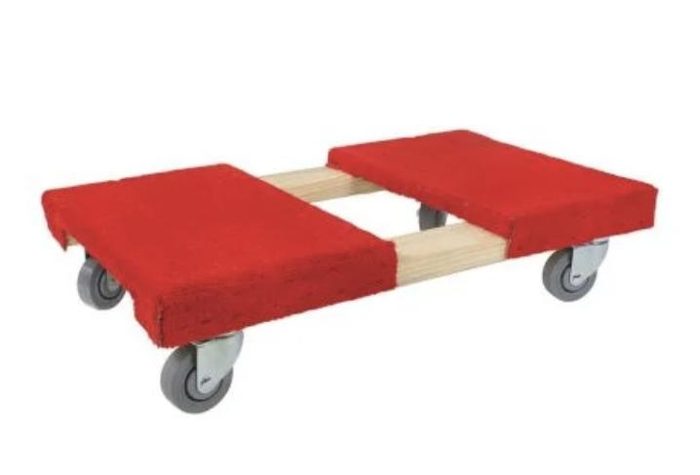 |
| Stretch Wrap | Currently NA | Currently NA |
| Speedpacks | “Triple Wall Speed Pack” Packaging Exchange - | 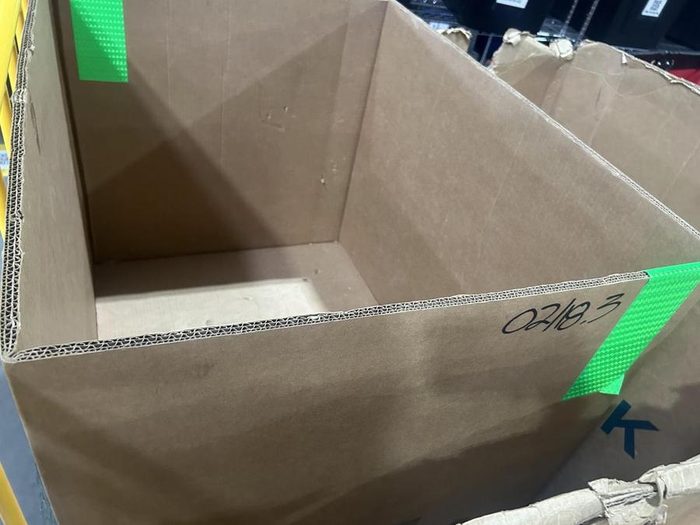 |
| Dock Plate | “Steel Dock Board” Uline - H-1828 | 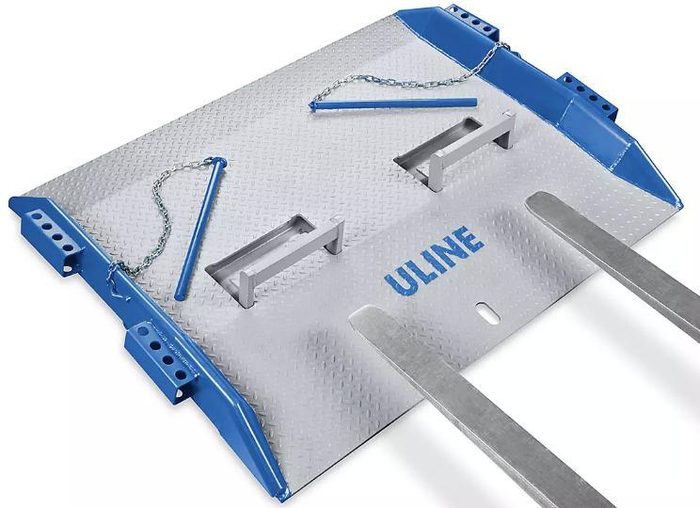 |
Procedures
Palletized Trailer Unloading
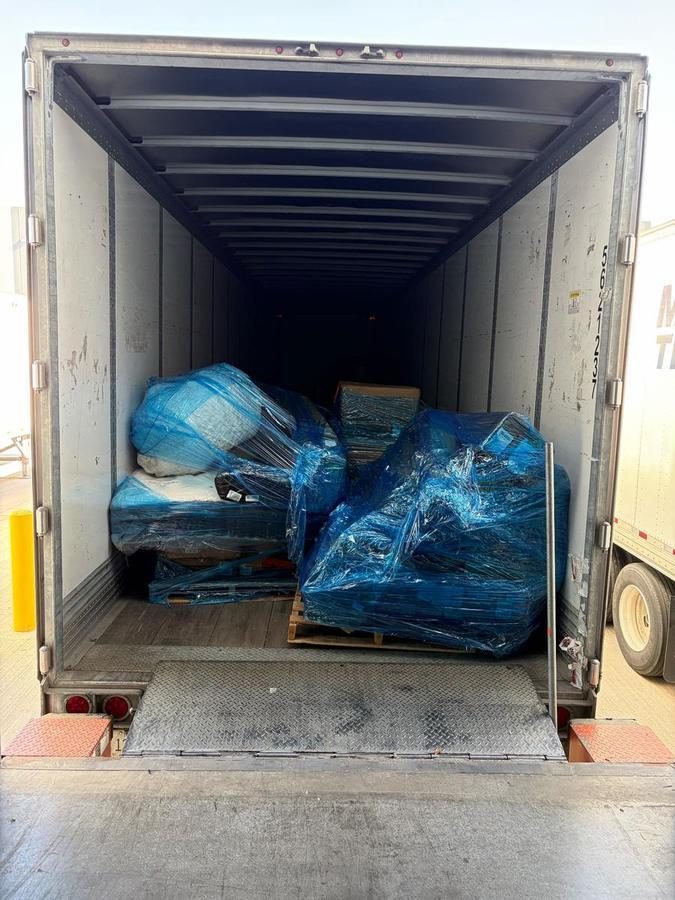
1.1 Secure & Prepare the Trailer for Safe Unload
- Before opening the dock door, visually inspect for bent tracks, broken springs, or damaged panels. If damaged, tag the door as INOP and notify the Area Manager. Do not prop doors open with improvised devices (pallets, boards, debris).
- An open dock door with no trailer present is an unguarded fall hazard of four feet or more. A physical fall barrier (dock chain, safety bar, or retractable belt) must span the full opening whenever a dock door is open and no trailer is present. Cones or tape are not acceptable substitutes.
- Communicate with the incoming driver to confirm they are backing into the correct dock door. Confirm the trailer is squared flush against the dock bumpers with no excessive gap before beginning the safety sequence. Do not stand on the dock apron while the trailer is actively backing.
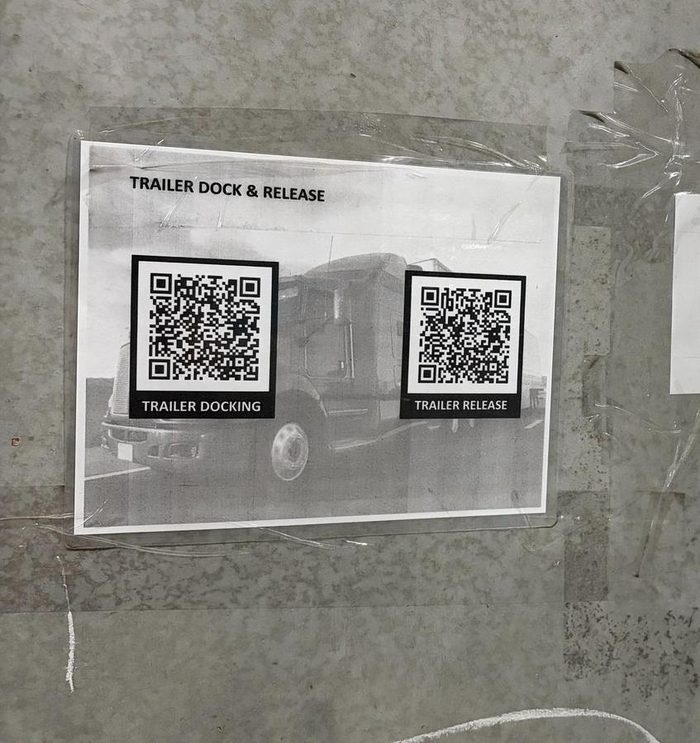
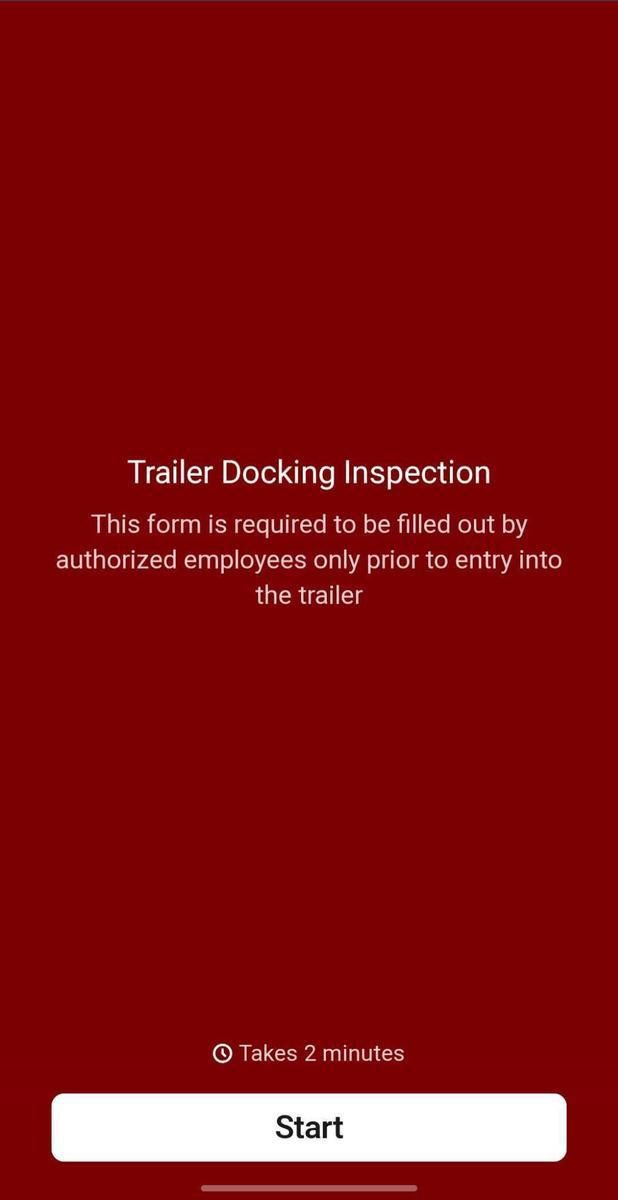
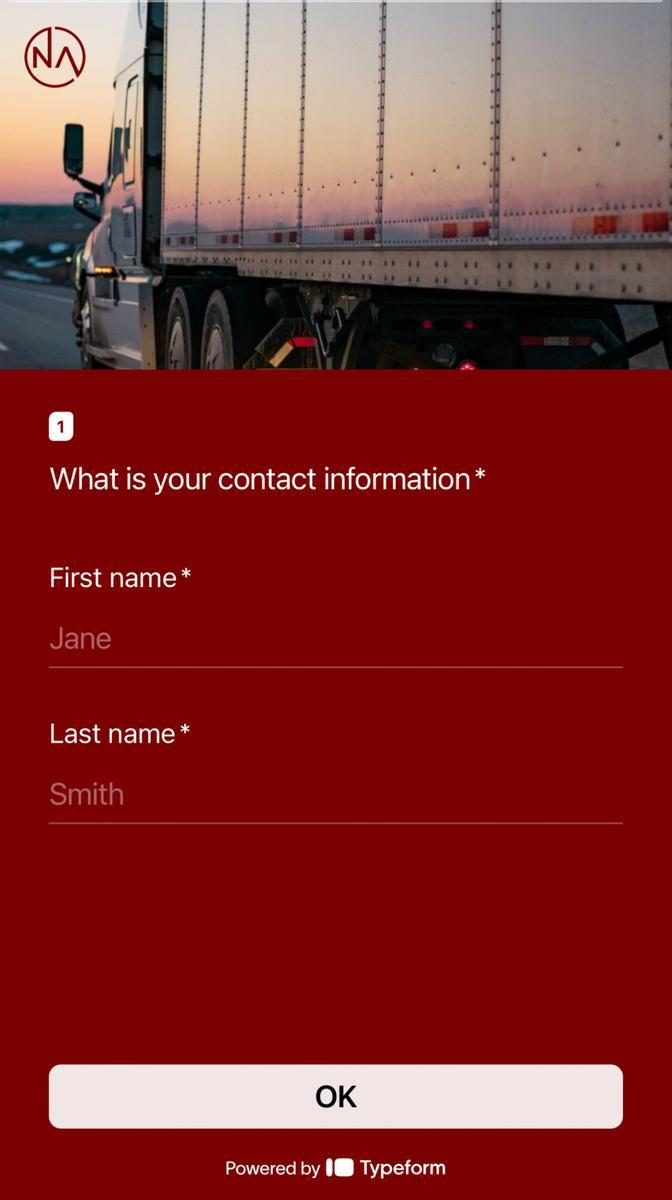
- Scan TDR QR code and complete the Docking portion of the TDR Inspection Form before unloading begins.
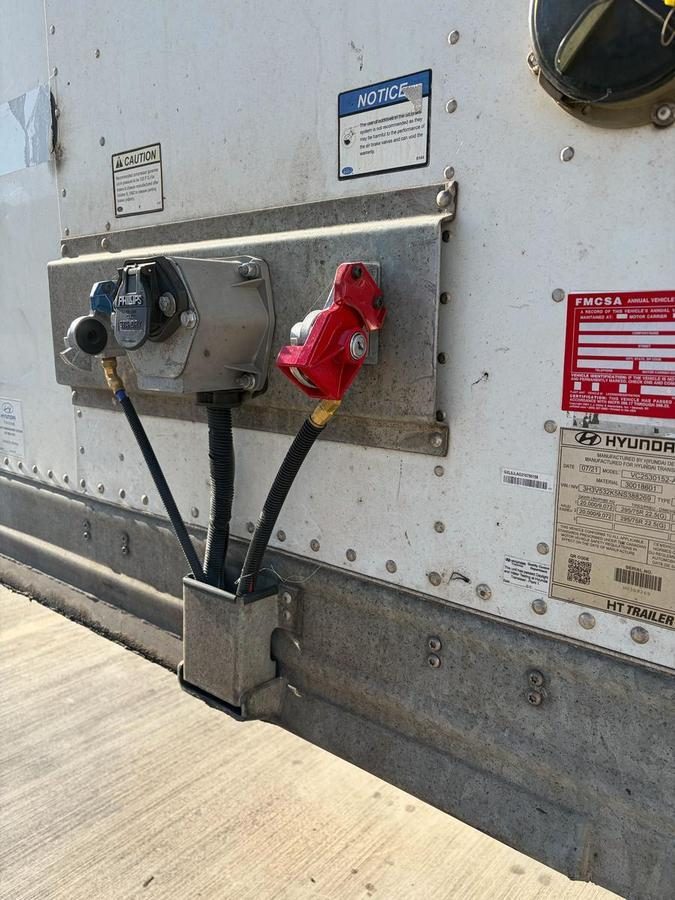
- Engage the Glad Hand Lock on the trailer's emergency brake air hose connector. This is the primary vehicle restraint device and must be engaged before any employee or equipment enters the trailer. It must remain engaged for the entire unloading operation.
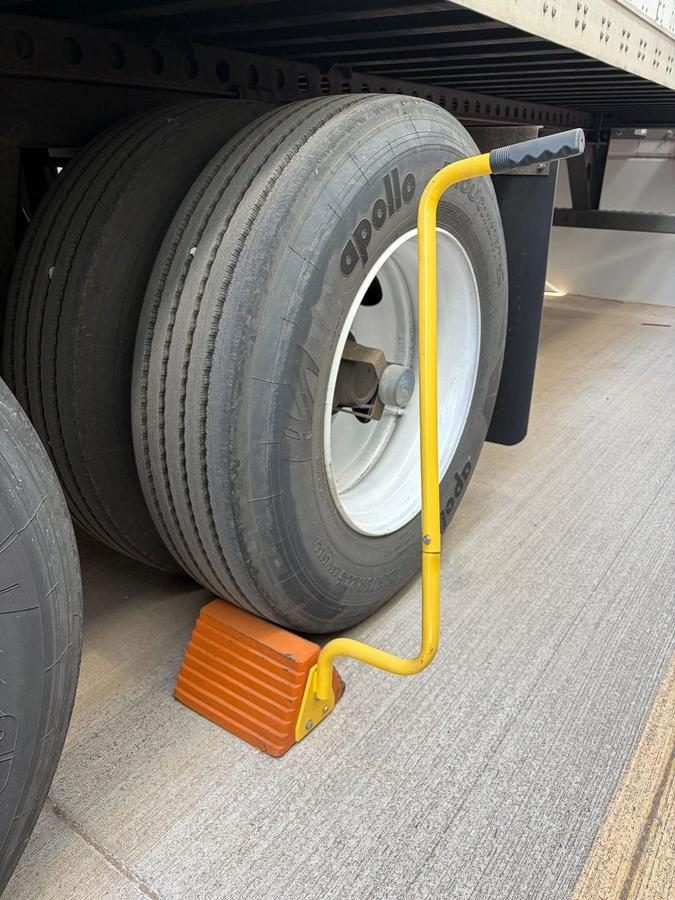
- Place wheel chocks on both sides of the rear wheels on level ground (not only the driver side). Chocks must be snug against the tire tread, not placed under the trailer frame or axle. Do not rely on the trailer's parking brakes as a substitute for wheel chocks.
- Engage the dock plate so it fully bridges the gap between the dock floor and the trailer floor. Confirm the plate is fully seated on both surfaces. Know the rated weight capacity of your dock plate (stamped on the plate) and do not exceed it with your PIT and load combined.
- Before any PIT or foot traffic enters the trailer, ensure the following:
- Landing Gear: If a drop trailer, confirm legs are fully deployed and making solid ground contact.
- Floor Integrity: Walk the dock plate and physically test suspect floor areas with your foot before driving equipment over them.
- Visually and physically check the trailer floor for soft spots, holes, rot, or damaged floorboards before driving equipment over them.
- Dock Plate Seating: Confirm full seating on both the dock floor and the trailer floor lip.
- Trailer Level: Look down the trailer length, visible tilt or lean means do not enter until resolved.
- Wheel Restraints: Personally verify chocks are in place, do not assume it was done.
- Overhead Clearance: Confirm trailer interior height accommodates the loaded PIT and mast height.
- Do not unload the trailer until all of the above TDR-related steps are complete.
- After completing both forms, confirm the inspection record or other visual indicator is posted on the designated clipboard at the corresponding dock door for the duration of the trailer's docking period. This clipboard serves as the visual indicator of each dock door's TDR status.
- If a trailer fails the pre-entry safety verification, it must not be entered. The Operations Manager must complete the OM Authorization Form before any deviation is permitted.
1.2 Begin unloading palletized freight safely with a forklift or pallet jack
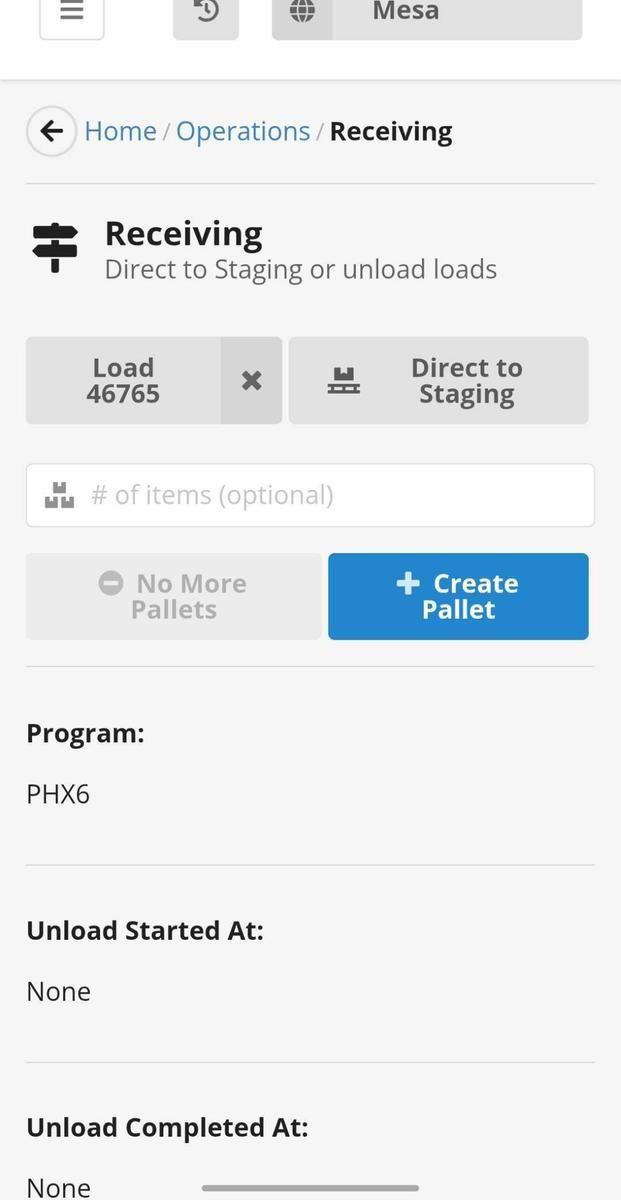
- Grab a mobilized Zebra printer with a scanner.
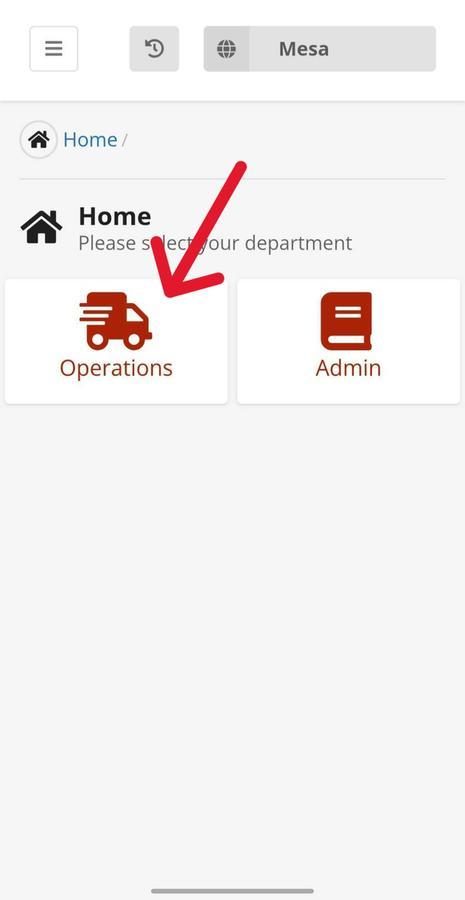
- Log into Cargo by navigating to https://cargo.nellisauction.com/
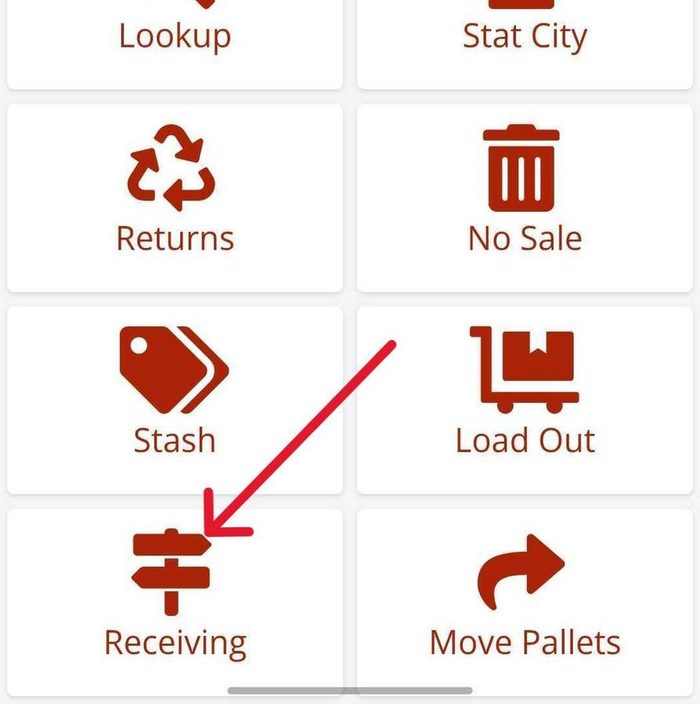
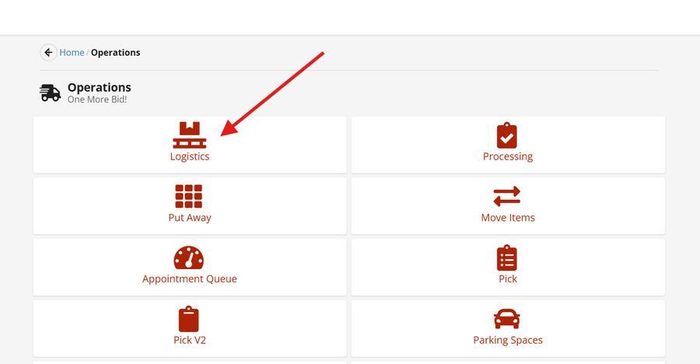
- Click on “Operations”
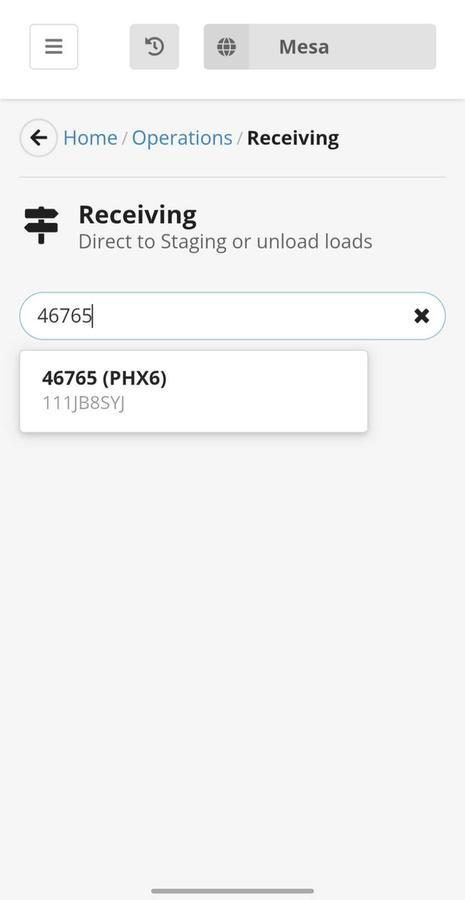
- Click on “Receiving”
- Enter the Load ID that is attached to the trailer you have docked
- Complete the steps below to confirm the load ID:
- Navigate to “Operations” in Cargo
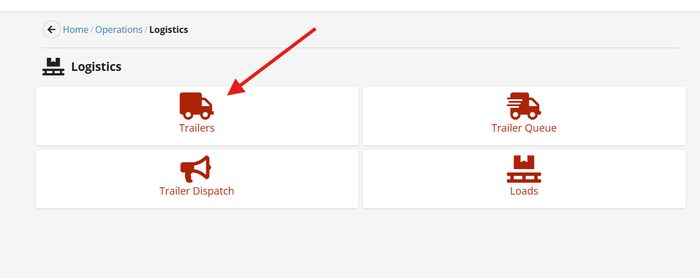
- Click on “Logistics”
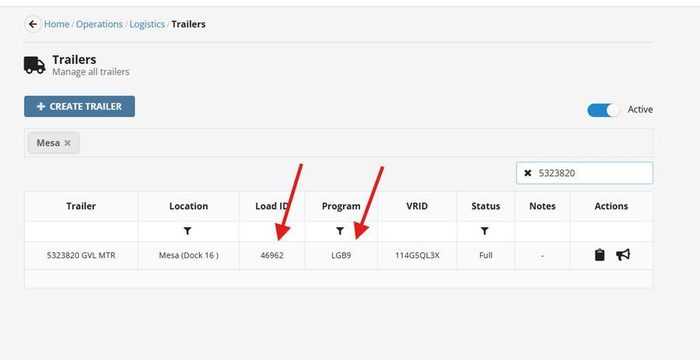
- Click on “Trailers”
- Type in the trailer number that is on the inside wall or the nose of the trailer (this will tell you the correct load ID and Program attached to the trailer).
- Click “Create Pallet.” (*Note: Only generate & print orange pallet tags as pallets are physically removed from the trailer to avoid generating extra, unnecessary tags that will later need to be voided).
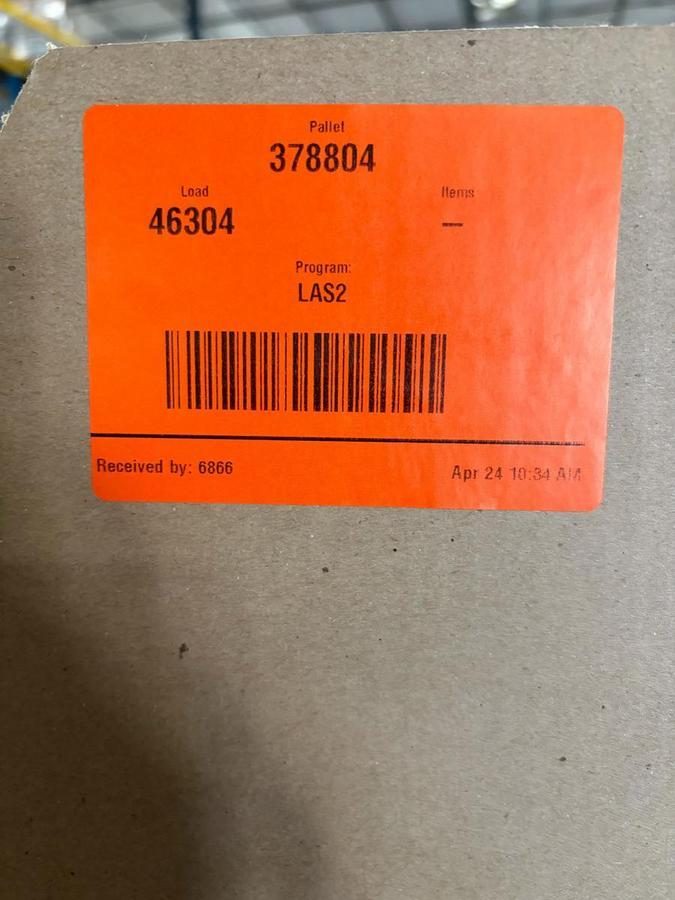
- Scan the generated QR code with the Zebra scanner; 3 tags should be printed out for each pallet.
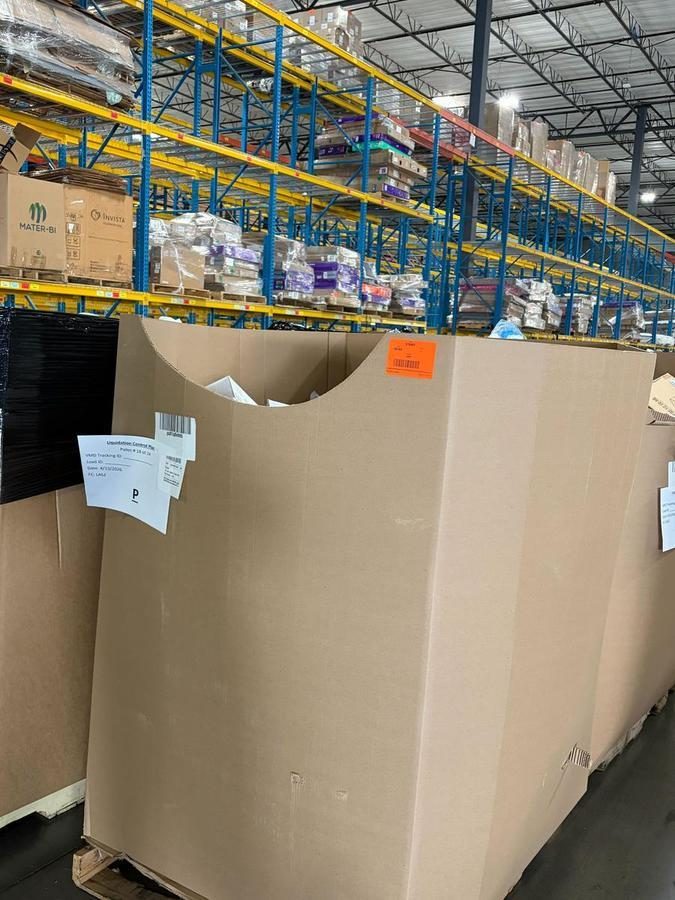
- Place one Orange Pallet ID tag on the top right edge of the front & back face of the shuddle and a third tag on one of the first units of inventory at the top of the pile. This first unit will become the first unit that Processors interact with and will serve as an indicator that their load ID has changed.
- Verify that all pallets from the trailer/load are tagged and accounted for with no extra tags. If extra tags are accidentally printed in excess, notify and Area Manager immediately and request to have them voided/trashed same-day.
- Click “No More Pallets.”
1.3Trailer Closure and Release
- Sweep the trailer of any major debris or trash.
- Remove wheel chocks and return them to their designated storage location.
- Remove the Glad Hand Lock from the emergency brake air hose connector.
- Return the dock plate to its flat stored position, never lean it against a wall or rack.
- Confirm all employees and equipment are clear of the trailer and dock well.
- Close the dock door completely and confirm it is latched.
- After confirming the dock door is closed and all safety equipment is removed, complete the Trailer Release Form by scanning the TDR QR Code.
- Signal the driver (radio, intercom, or green dock light) that the trailer is cleared for departure. Do not signal until the door is confirmed closed and all personnel are away from the dock apron and the trailer's swing radius.
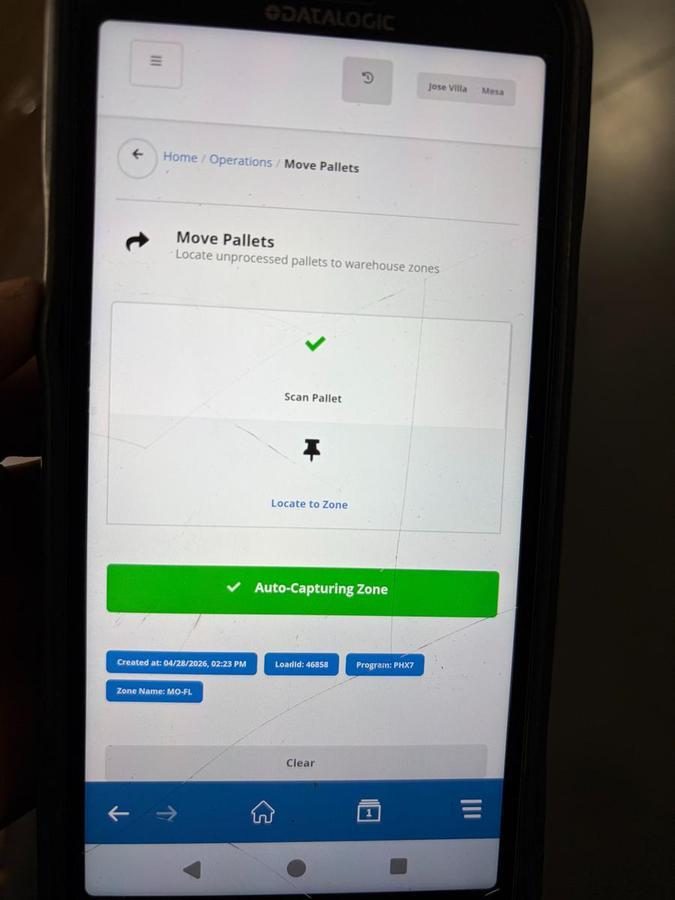
1.4Stage and Scan Inventory
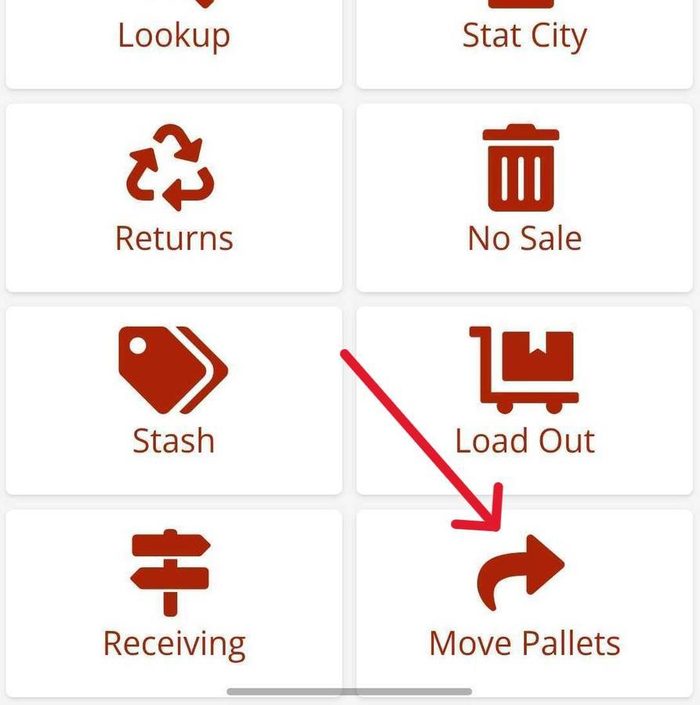
- Go to Cargo (https://cargo.nellisauction.com/).
- Click on “Operations”
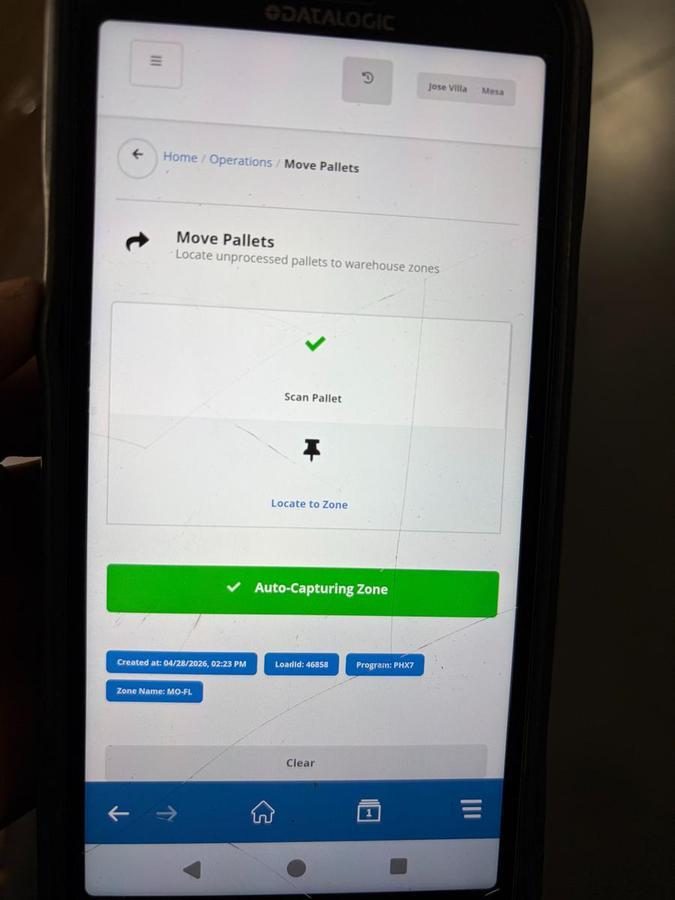
- Click on “Move Pallets”
- Scan Pallet tag barcode.
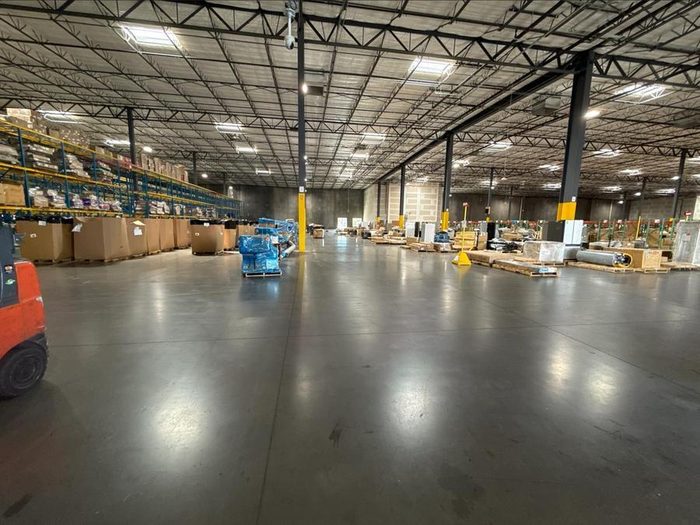
- Scan the pallet to the assigned staging location as directed by your AM. Bulk stage locations are designated for later processing, processing stations, or dock doors awaiting processing. Staging locations are determined based on operational need and role ownership. Operators unloading trailers are responsible for selecting and scanning pallets into bulk storage locations when product is not immediately needed for processing. Feedline is responsible for determining and staging pallets to dock doors or processing stations when product is needed to support active lines. Priority should always be given to keeping processing lines full, if there is active demand, pallets should be staged for immediate processing, if not, they should be directed to bulk storage. All staging decisions must be scanned and recorded in the system to maintain inventory accuracy.
Inventory Movement Control
2.1 Scan all pallet movements
- Go to Cargo
- Click on Operations
- Click on Move Pallets
- Scan Load ID tag
- Scan the staging location: bulk floor/ dock location/ and processing location
Do not move pallets without scanning to maintain full inventory traceability
Handstack Trailer Unload
3.1Build and Secure Pallets or Shuttles
Apply steps 2.2–2.5 here
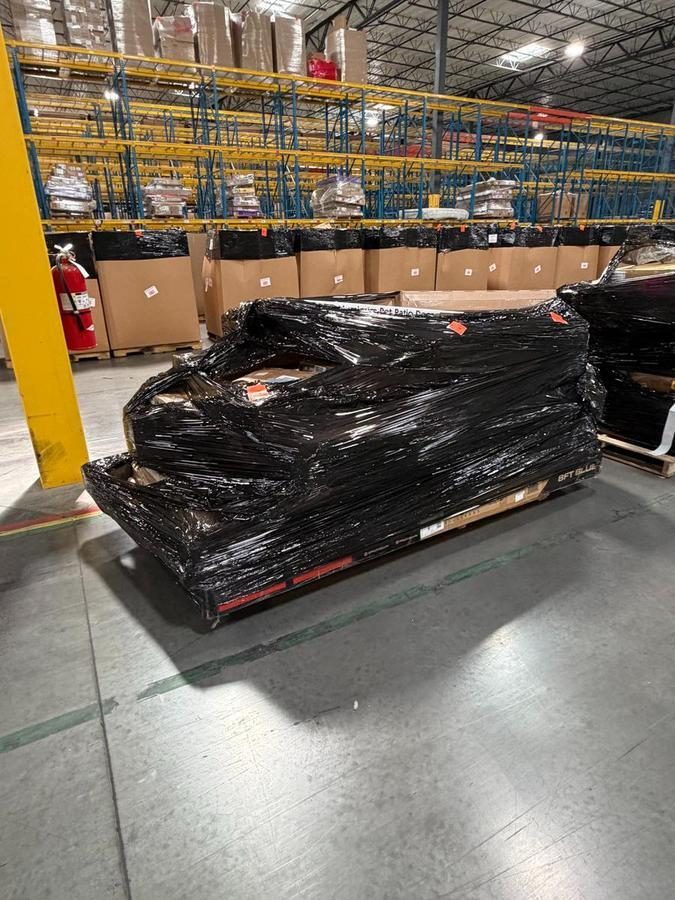
- Stack product evenly
- Maintain safe height (OSHA Laws and Regulation states storage of materials shall be stacked and limited in height, so they are stable and secure. Height reference has been stackable pallets at 60–72 inches and non-stackable pallets at 48–60 inches to prevent tipping and/or damage.)
- Wrap pallets securely with stretch wrap
3.2 Tagging Inventory
- Grab a mobilized Zebra printer with a scanner
- Click on Operations
- Go to Receiving
- Enter Load ID
- Click Create Pallet (Only create tags as pallets come off the trailer to avoid making extra tags)
- Scan the generated QR code with the Zebra scanner; 3 tags should be printed out for each pallet.
- Place one Load ID tag on the top-right-hand side of the pallet, and another tag on the back-right-hand side.
- Verify all pallets are tagged and accounted for
- Click No More Pallets
3.3 Removal and Staging
- Ensure all products are removed from the trailer
- Forklift operator stages and scans into the location
3.4 Post-Unload Responsibilities
- Remove debris
- Scan the TDR QR code to release
- Remove safety equipment
- Clean trailer and dock
Feedline
Feedline is responsible for safely transporting and staging materials to ensure a continuous and efficient flow of product to the processing line.
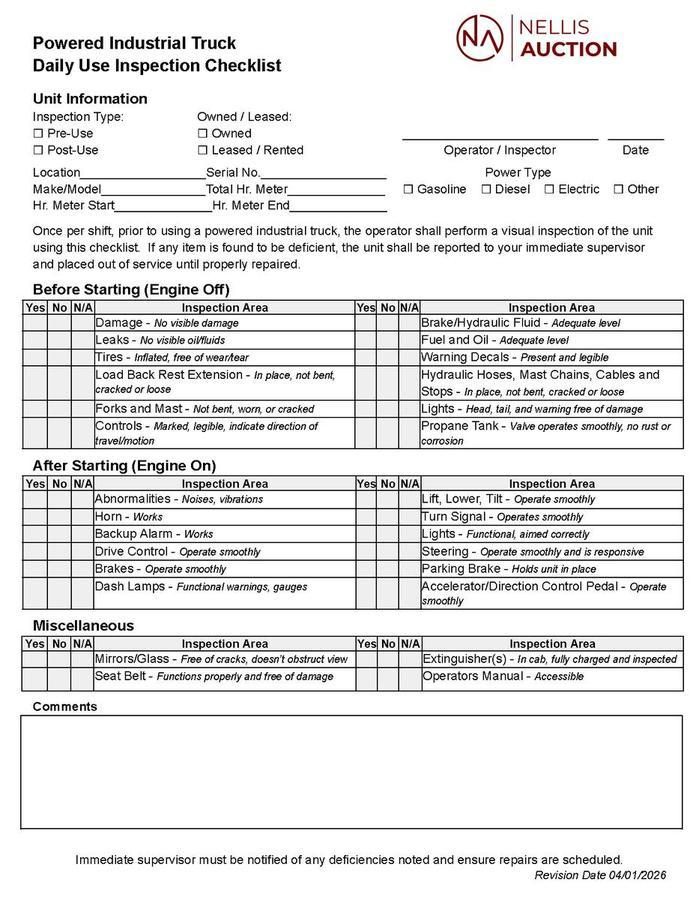
4.1 Complete the forklift equipment checklist prior to equipment use
- Daily use inspections are located here or accessible from the nellis.biz/safety site.
- Do not operate equipment without a completed inspection
- Safely transport pallets from staging to processing lines
- Stage pallets in the assigned designated processing station using the “Move Pallets” tool inside Cargo
- Scan all physical pallet movements in Cargo. If a pallet is physically moved from one location to another, there should be a systemic scan to match.
- Ensure accurate location tracking at all times.
- Maintain safe operating practices at all times.
- Monitor line demand and prevent product shortages.
Sortable Inventory Loading
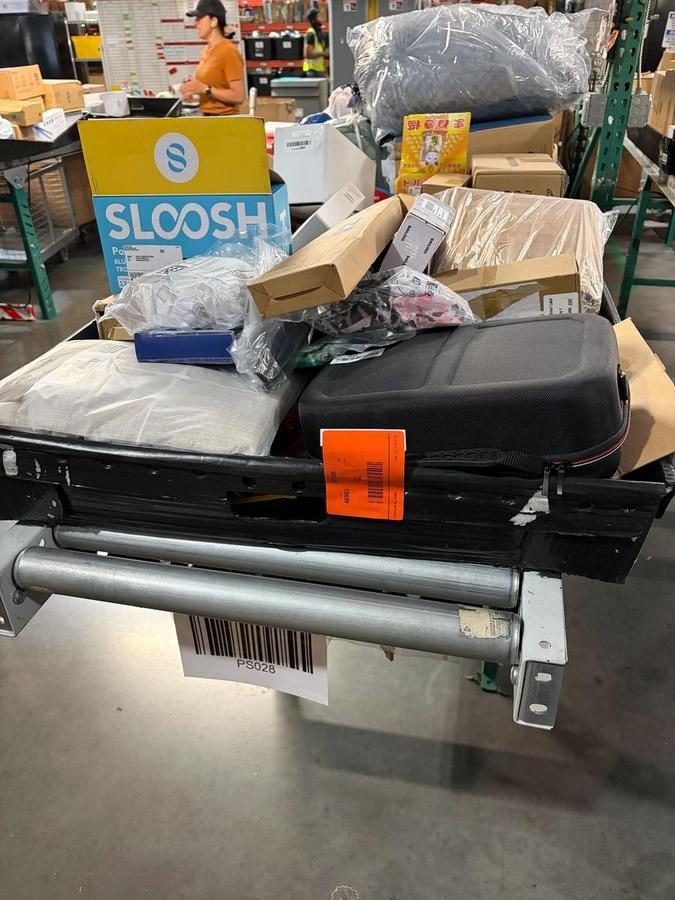
The Sortable Inventory Loading role is responsible for filling conveyor trays with product and maintaining a constant flow of unprocessed goods.
5.1 Identify the load ID and remove the tag from the shuttle
- Load items into conveyor trays
- When unloading a new pallet, place the Load ID tag on the first item in the conveyor tray. The item should be facing the processor. Along with the visual indicator, the Material Handler should communicate the pallet transition to the processor.
- Ensure totes are not overfilled or underutilized
- Group similar items to support efficient processing
- Maintain a steady flow of totes full of product to prevent delays.
- Maintain an organized and clean work area
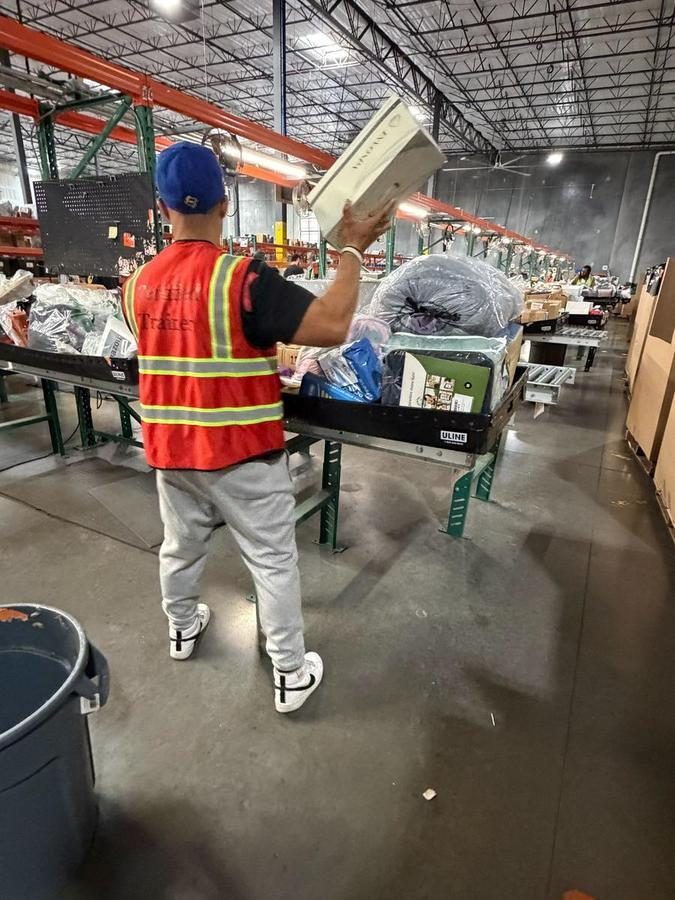
Trash and Cardboard Management
The Trash role is responsible for maintaining a clean, safe, and operationally efficient environment across the floor with the goal of keeping Inventory Processors processing as consistently as possible.
6.1 Continuously Monitor Processing Lines for Debris
- Remove empty boxes, plastic wrap, and loose trash from the processing line and surrounding areas
- Transport waste to the designated receptacle, including but not limited to compactors, open-top roll-off dumpsters, cardboard balers, etc. Take care to sort waste according to waste sortation standards for best results.
- Remove debris from active work areas.
- Support other departments (i.e. Warehousing, Customer Service & Returns) with trash removal
- Maintain a clean, safe, and obstruction-free environment
- Replace trash receptacles at work stations as quickly as possible to minimize downtime for Inventory Processors (or other employees in different departments and locations within the warehouse).
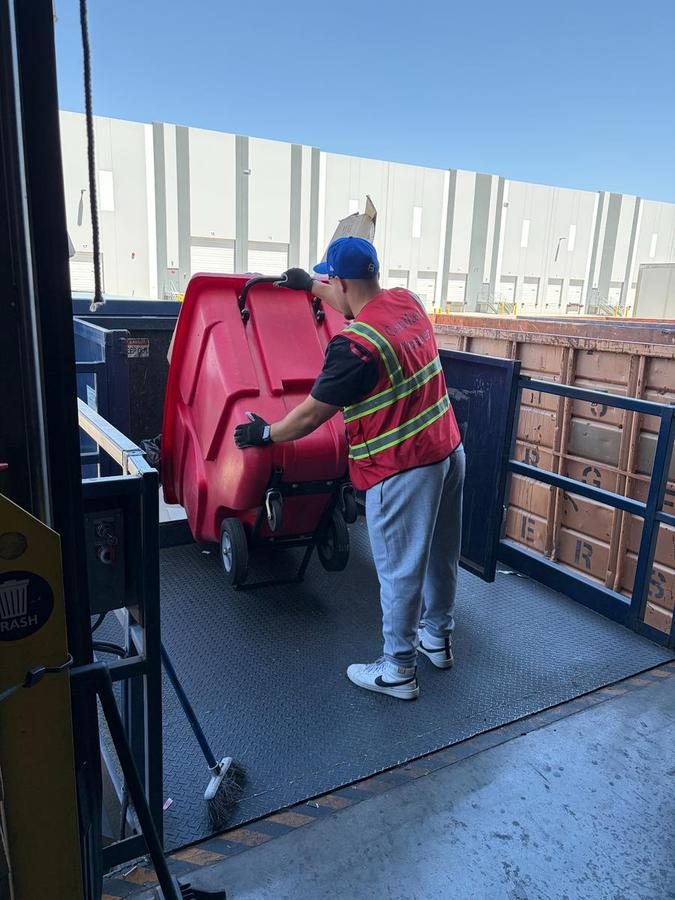
Inventory Loading
Backline Material Handlers are responsible for filling the processing lines with product and maintaining consistent operational flow.
7.1 Lift boxes safely onto the conveyor line
- Open boxes and remove product for processing
- Evenly distribute product across the conveyor while keeping the line full
- Maintain a clean and organized work area
- Remove empty boxes and debris as work progresses
- Adjust belt loading pace based on processor speed and demand. If the processor is moving quickly and running through the product at a high rate, that’s a clear visual to pick up the pace and keep the line full. If the line starts dwindling or running low on product, that station becomes the priority and must be filled immediately to prevent slowdowns. XL items move faster through processing and should be prioritized over smaller items to maintain flow
- Communicate with Downstack and leadership if the flow is disrupted
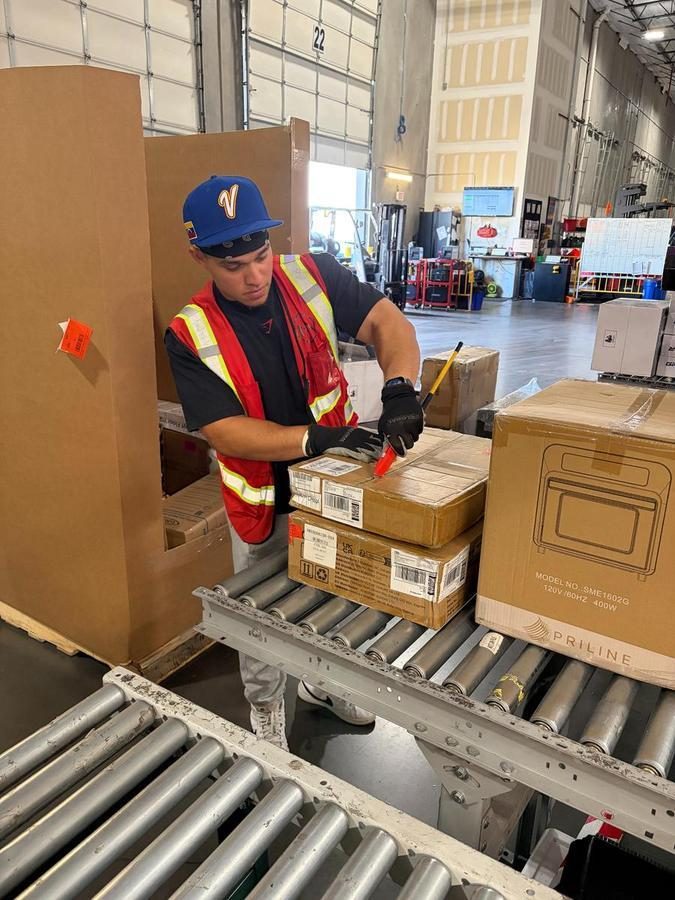
Downstack
Downstack Material Handlers are responsible for clearing processed products from conveyor lines and ensuring continuous flow.
8.1 Continuously monitor the conveyor for processed items
- Remove items from the conveyor promptly
8.2 Place items onto the correct equipment:
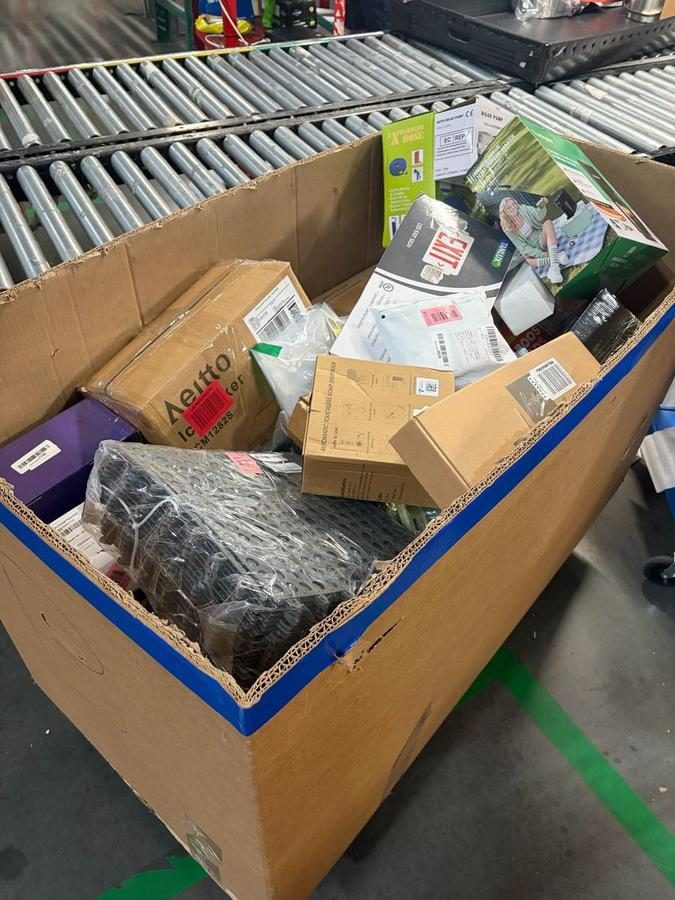
- Speed packs (small/medium items)
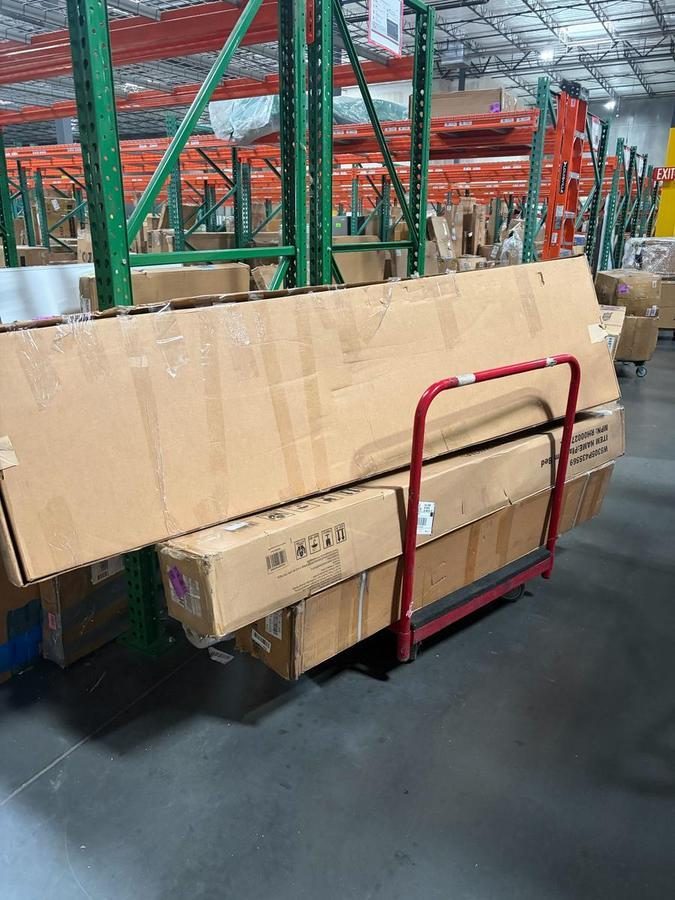
- Red carts (Large/Heavy/XL items)
- Floor dollies (Large/HeavyXL items)
8.3 Sort and organize products to support Putaway efficiency
- Ensure proper weight distribution when loading equipment
- Transport full equipment safely to the assigned aisles for putaway
- Return empty equipment quickly to maintain flow
- Maintain awareness of conveyor volume at all times
- Adjust pace to prevent backups or stoppages
- Maintain a clean and clear work area
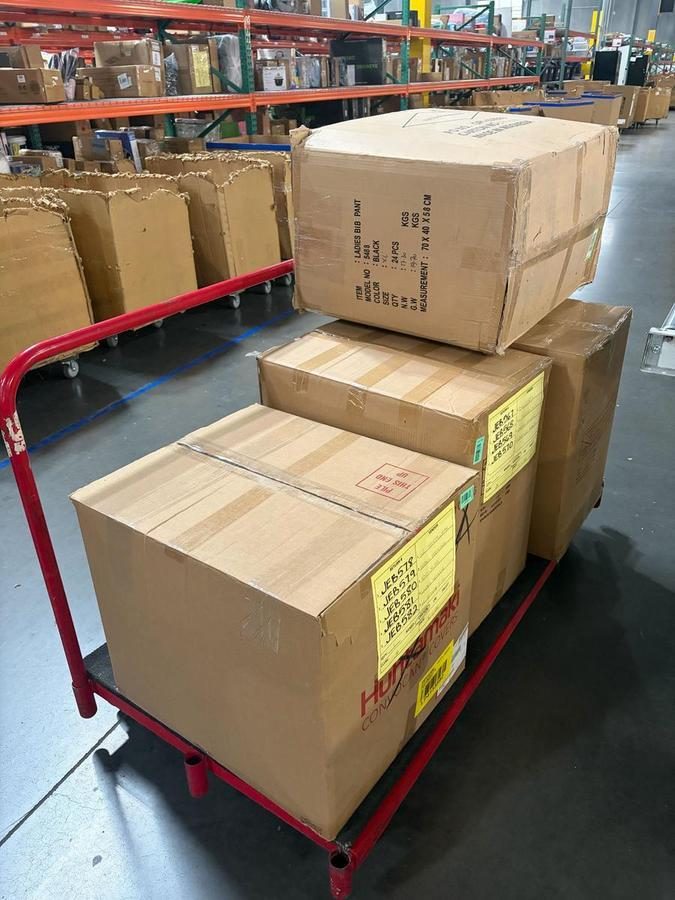
Wholesale & Shipment Handling
This step is mandatory and must be completed every time prior to shipment to ensure accuracy and proper system alignment.
**Gavel will send over a BOL when a shipment is ready, attached to a whole unique ID and Load ID**
9.1 Verify Wholesale ID matches Load ID
Apply step 1.1 here
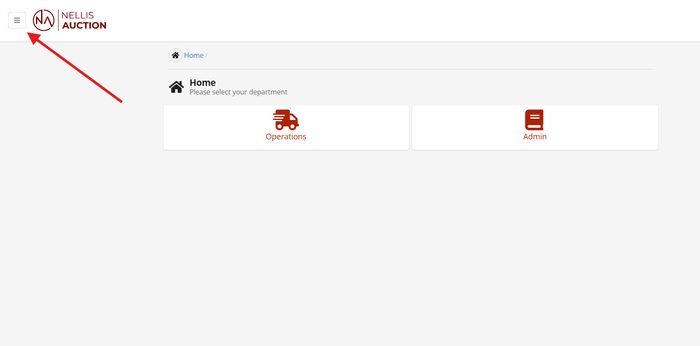
- Open Cargo
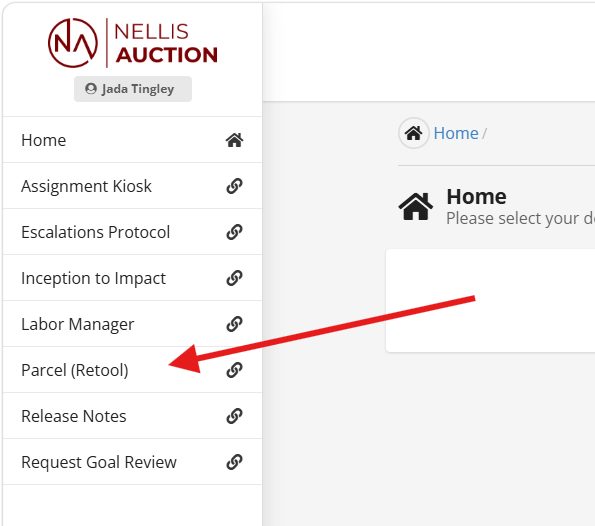
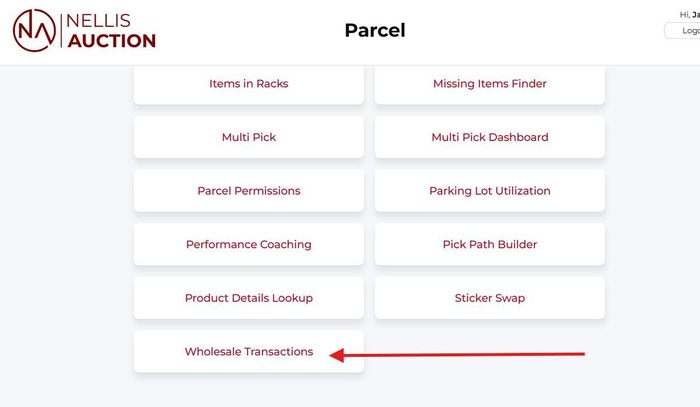
- Click on the left side of the screen for more options
- Go to Parcel Retool
- Click on Wholesale transactions
- Type in the unique wholesale transaction ID in the search bar
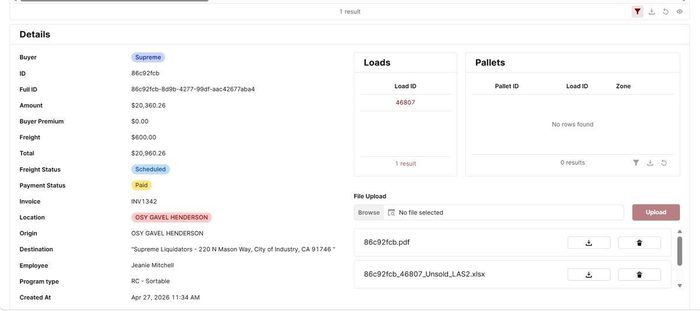
- Ensure the ID attached has the same load ID and pallet count as what you physically have
- Physically load all pallets of the load ID for the shipment onto the trailer of the driver who arrives
- Click into the shipment and scroll down
- Print 3 copies of the BOL
- Sign the BOLs and give all 3 to the driver to sign
- Grab a trailer seal and lock the trailer doors to secure the load
- Write the trailer seal number on the BOLs
- Give 2 copies to the driver, and file one in-house
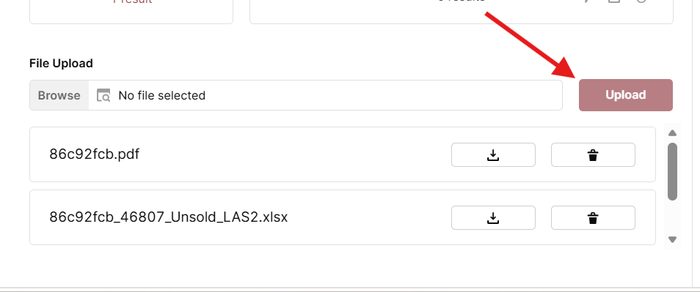
- Immediately upload BOL in the section below
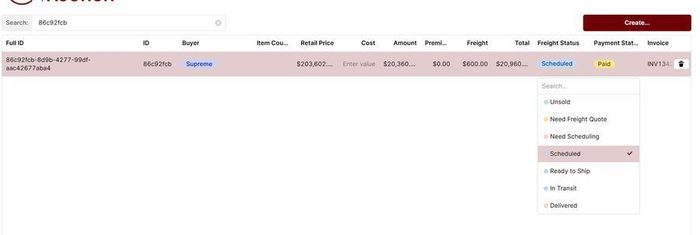
- Place the load into “Transit” status
- Do not release shipments without verification

Process Flow Diagram
The following diagram provides a visual overview of the end-to-end process flow. Refer to the Procedures section for detailed step-by-step instructions.
The Nellis Standard
The following standards are extracted from this SOP and represent the key observable, auditable behaviors and outcomes that define excellence in this process. These standards feed into the master Nellis Standard framework.
Receiving & Inbound Logistics, which is carried out by Material Handlers is our first opportunity to operate with excellence and adhere to our standards. We operate with full accountability, ensuring every load, trailer & pallet is accurately tracked, safely handled, and executed with precision to maintain flow, financial lineage, and operational excellence.
Quantitative Metrics
Gap Time – The amount of time, measured in minutes, but typically reported as a % of total time where an employee was not in an active state performing direct work. Although there are acceptable levels of gap time expected for all employees, the goal is generally to minimize this as much as possible. Goal: < = 10% (example: 10% x 570 mins = ~ 57 mins). Because Material Handlers are classified as Indirect Roles, gap times should be characteristically low based on how their indirect assignments are tracked in Labor IQ.
Floor-Stack Trailer Unload Rate - Floor-stacked trailers, typically containing Nonsort Medium product, should be unloaded within approximately 4-5 hours with 2 employees; otherwise measured as 8-10 manhours. Weather conditions may warrant a 7% increase to this time allotment to account for fatigue factor.
Observational Metrics
Processing conveyors are well stocked with unprocessed inventory and items are prepared and ready for listing.
Trash and corrugate are well managed throughout the shift and the facility is net-zero’d at the end of the day.
The TDR process is consistently executed for every trailer before employees enter and begin to unload trailers and before drivers pick trailers up.
Every pallet is tagged with either Load ID Stickers or Pallet Stickers immediately after it is unloaded from the trailer. When inventory is unloaded or staged via pallets, printed Pallet ID stickers are limited to the number of pallets created.
Every physical pallet move requires a corresponding system scan in Cargo.
Inventory Processor conveyor belts run continuously with minimal to no waiting for product. This dynamic is indicative of appropriate staffing and productive Material Handler contributors.
When and where applicable, outbound wholesale shipments are verified with precision before release/dispatch. The wholesale ID matches the load ID and pallet quantities physically loaded match system counts.
Loads are fully processed within 7 active days (active load = a load with 1 or more items created) and loads are not dormant for more than 3 days (dormant load = a load that has at least 1 item created, but hasn’t seen additional items created in 3 days or more). At the end/beginning of the month, loads with items created in the prior month do not remain open >3 days into the new month.
The Inbound Dock including but not limited to the receiving dock, Inventory Processing Stations, Putaway Staging, and the trash management area(s) surrounding the compactor, baler, and open top dumpsters are well maintained, organized and orderly throughout the working day.
Material Handlers cut open boxes for Inventory Processors and stage it in presentation mode, ready for inspection.
Common Exceptions
| Exception / Scenario | Resolution | Reference Document |
|---|---|---|
| Trailer Fails Pre-Entry Stability Check | Stop. Do not enter the trailer. Notify Area Manager. Operations Manager completes OM Authorization Form | N/A |
| Damaged Product Found During Unload | Stop processing the affected item. Separate damaged product from good inventory & notify the Area Manager. Do not tag as normal inventory. Ensure it is not mixed into active pallets. | N/A |
| Trailer Does Not Match Assigned Dock / Load ID | Do not begin unloading. Verify trailer number against system in Cargo. Escalate to the Area Manager immediately. Trailer must be reassigned or corrected in the system before TDR and unload begins. | N/A |
| Missing or Incorrect Load ID | Do not begin unloading. Check Cargo for matching load ID. If missing or incorrect, escalate to the Area Manager immediately. Do not proceed until load ID is verified and corrected in the system. | N/A |
Supporting Job Aids & Forms
| Document Name | Description | Link / Location |
|---|---|---|
| Yard Walk | Accurately audit trailers movement and location | Yard Walk Audit |
| Forklift Checklist | Pre-op checklist to complete before operating | Forklift Checklist |
Training & Certification
| Training Requirement | Audience | Frequency | Delivered By |
|---|---|---|---|
| New Hire Onboarding | New Hires | Day 1 | Certified Trainer/Admin |
| Compactor Training | New Hires | Day1 | Certified Trainer/AM |
| MHE Certification | MHE Operators | Every 3 Years | Qualified MHE Instructor |
| TDR Training | MHE Operators |
Certification Requirements
Quality Control & Auditing
Audit Schedule
| Audit Type | Frequency | Performed By | Documentation |
|---|---|---|---|
| Area Manager Audit | Daily | Area Manager | Area Manager Audit |
| TBD | TBD | TBD | TBD |
Non-Conformance Handling
All deviations from this SOP will be addressed using a progressive accountability process to ensure compliance and continuous improvement.
Process Steps:
- Journal Acknowledgement
- Initial documentation of the issue.
- Team members acknowledge the expectation and correct process.
- Coaching 1
- First formal coaching conversation.
- Focus on reinforcing correct procedures and expectations.
- Coaching 2
- Second coaching session if behavior continues.
- Additional guidance and clarification provided.
- Corrective Action 1
- Formal corrective action issued.
- Documented performance concern with clear expectations for improvement.
- Corrective Action 2
- Escalated corrective action for repeated non-compliance.
- Corrective Action 3
- Final level of corrective action.
- May result in further disciplinary action up to and including termination.
Expectation:
All team members are expected to follow SOP procedures at all times. Failure to comply will result in progression through the steps outlined above.
Safety & Compliance
Safety Requirements
This section outlines the safety requirements for Material Handler operations, focusing on the safe execution of high-risk physical tasks. Key activities covered include the mandatory use of the Trailer Dock & Release (TDR) process, safe operation of Powered Industrial Trucks (PIT), strict adherence to proper lifting and movement techniques, controlled use of cutting tools, and compliance with all waste and housekeeping procedures to ensure a secure, obstruction-free working environment.
Lifting & Physical Safety:
- Use proper lifting technique: keep the load close to the body, hinge at the hips, bend the knees, keep the back neutral, and avoid twisting. Lead with the hips when changing direction.
- Conduct a 5-Second Size-Up before every lift: test the weight/awkwardness and confirm the path is clear of trip hazards before beginning the lift.
- Team Lift required for any item estimated at 50 lbs or more, or any item that is awkward in size, shape, or weight distribution regardless of actual weight. Assign a Lead Caller who gives the 'Ready, Set, Lift' command as the team moves in unison.
- Keep the load in the Power Zone throughout the lift and carry: between mid-thigh and mid-chest, close to the body.
- Participate in pre-shift and mid-shift stretching routines as directed by leadership. Stretching before physically demanding tasks reduces soft-tissue injury risk.
- Use anti-fatigue mats at processing stations. Position yourself with the work surface at approximately elbow height.
- Report any early symptoms of musculoskeletal discomfort (wrist pain, back tightness, shoulder strain) to your Area Manager, early reporting allows for early intervention.
Cutting Tool Safety (Box Cutters):
- Always wear cut-resistant gloves for all cutting tasks and only company-issued box cutters/knives.
- Before use, inspect the blade for rust, corrosion, chips, or dullness. Replace the blade immediately if any wear is visible and do not attempt the first cut to test a suspect blade. Dull blades require excess force and cause slips.
- Always cut away from your body and away from your non-dominant hand. Plan the cut direction before starting. Stop completely and reposition if you need to change direction, never redirect a cut mid-motion.
- Extend only as much blade as the material thickness requires, typically 1/4 to 1/2 inch for standard cardboard. Lock the blade in position before starting the cut.
- Keep fingers clear of the blade's intended path, not just where the blade is now, but where it will travel if it slides, skips, or breaks through faster than expected.
- Retract and lock the blade immediately after every cut. Do not set a box cutter down with the blade extended, even briefly.
- If a box cutter falls, let it fall. Step back. Never try to catch a falling blade.
- Dispose of worn blades in the designated sharps disposal container, never in regular trash or loose on any surface.
- Report defective box cutters (blade that does not lock, cracked housing, does not retract) to the Area Manager immediately. Do not attempt to repair a box cutter yourself.
Dock and Trailer Operations Hazards
- Pre-use inspections are completed on powered industrial trucks (forklifts, order pickers, reach trucks, etc.)
- Glad hand locks and wheel chocks utilized during the Trailer Dock & Release (TDR) process.
- Gaps between the trailer and the dock’s edge if the dock plate is not fully engaged.
- Unused docks secured with fall restraint devices to prevent fall hazard.
- Trailer wheels are chocked, vehicle restraints engaged, glad hand lock placed. Floor check holes, debris, or soft spots before entering the trailer.
Baler and Trash Compactor Safety
- Only employees who have completed Compactor and/or Baler training in Paylocity may operate these units.
- Safety glasses are required during all baler and compactor operation.
- Never reach into the machine chamber or bypass any safety interlock on the baler or compactor for any reason.
- If the unit jams, do not attempt to clear the jam while the unit is powered. Tag the unit as INOP, notify the Area Manager, and wait for a qualified technician to clear the jam.
- Ensure the area around the compactor and baler is kept clear of loose debris, product, and trip hazards at all times.
Materials, Waste, and Housekeeping Hazards
- Remove trip hazards: loose trash, wood scraps, empty boxes, plastic wrap, and pallet debris from active work areas continuously throughout the shift. Do not wait for accumulation.
- Do not place equipment (pallet jacks, speedpacks, carts) in a manner that blocks emergency exits, egress paths, or safety equipment including fire extinguishers and first aid kits.
- Follow all documented procedures for handling and disposing of electronics and lithium batteries, see Chapter 15 of the Safety Manual for full requirements.
- Pallet stacking limits: maximum 10 pallets high while traveling, maximum 18 pallets high in stationary storage. Overstacked pallets are both an OSHA violation and an active tipping and falling material hazard.
Powered Industrial Trucks (PIT) Safety
- Pre-Shift Inspection (required before every shift, before first use):
- Complete the PIT pre-shift inspection form via the link at nellis.biz/safety before operating any PIT equipment.
- If any defect is found, tag the unit as INOP, notify the Area Manager, and do not operate the unit until the defect is corrected and cleared.
- A pre-shift inspection is not optional, operating without a completed inspection is a safety violation subject to corrective action.
- During Operation:
- Fasten your seatbelt before moving the unit. Seatbelt use is mandatory on all driveable PIT equipment. This is not optional.
- Maximum speed: 5 mph throughout the facility. Reduce to 3 mph in high-pedestrian areas and near dock doors. Slow crawl when entering or exiting trailers or crossing dock plates.
- Sound the horn at all intersections, blind corners, and any time pedestrians are nearby.
- Pedestrians always have the right of way. Stop and wait, do not navigate around pedestrians while they are moving.
- Do not allow unauthorized riders. No seat, no ride.
- Keep arms and legs inside the vehicle at all times during operation.
- Do not leave PIT unattended with the engine running or forks elevated.
- Dock and Trailer Operations:
- Complete all TDR steps above before driving PIT equipment into any trailer.
- Drive over dock plates centered, at reduced speed. Do not turn on the dock plate.
- Never operate PIT in an active dock lane where pedestrians or other employees are working without confirming they are clear.
Load Defect Identification and Reporting
- During trailer unloading and receiving, watch for common load defects: damaged product, incorrect item quantity, wrong product shipped, improper packaging, missing items, poor labeling, overpackaging, underpackaging, overfilled or underfilled pallets, etc.
- If a load defect is identified: STOP processing the affected item, SEPARATE it, NOTIFY the Area Manager.
- Overfilled or unstable pallets are a safety hazard. A pallet that tips can strike a Material Handler or PIT operator. Do not attempt to move an unstable pallet without Area Manager direction and appropriate PIT equipment support.
Incident Reporting
All safety incidents, near-misses, and hazardous conditions must be reported immediately to ensure a safe work environment and proper documentation.
What to Report:
- Work-related injuries and illnesses
- Near-misses (events that could have caused injury or damage)
- Unsafe conditions (equipment issues, hazards, weather-related risks)
- Vehicle-related incidents in the parking lot
Reporting Process:
- Notify a Manager Immediately
- Report the incident to the Area Manager or supervisor as soon as it occurs.
- Do not delay reporting, even for minor incidents.
- Ensure Safety First
- Stop work if necessary.
- Move to a safe location.
- Assist any injured individual if it is safe to do so.
- Seek Medical Attention (if needed)
- For injuries, request first aid or medical assistance by contacting the Nurse Hotline.
- Call emergency services (911) for serious situations.
- Document the Incident
- Complete The Safety Hub report form with accurate details.
- Include time, location, individuals involved, and a detailed description of what occurred.
- Manager Documentation & Escalation
- The Manager will log the incident according to company policy.
- Injuries/Illnesses: Management to complete Slack notification for awareness. If the incident results in a medical visit, complete the Injury and Illness Incident Report (IIIR).
- Escalate to upper management, EHS or HR, if required.
- Follow-Up
- Follow all corrective actions or safety recommendations provided.
- Utilize the Incident Investigation Form to conduct a thorough investigation if requested.
Expectation:
Non-compliance with incident or hazard reporting protocols may lead to formal disciplinary measures. Timely notification is essential to mitigate operational risks and maintain a secure environment for all personnel
.