
Standard Operating Procedure
Customer Service Load Out
Customer Service · All Nellis Auction Locations
| Document ID | SOP_Operations_Load Out_5.27.2026_V1 |
| Version | 1.0 |
| Effective Date | 5/27/2026 |
| Process Owner | Customer Service Area Manager |
| Department | Customer Service / Load Out |
| Facility | All Nellis Auction Locations |
Purpose
The purpose of the Load Out Standard Operating Procedure is to clearly outline the required steps to safely, accurately & efficiently load out customers' orders to achieve desired business outcomes. This SOP serves as the foundational reference for all Load Out-assigned associates at Nellis Auction.
Scope & Audience
Scope
Customer Service Team, This SOP covers all aspects of load-out activities at Nellis Auction, Exceptions, Safety, And customer escalation.
Audience
Warehouse Team Members, Area Managers, Operations Managers, and Certified Trainers.
Roles & Responsibilities
| Role | Responsibility | Description |
|---|---|---|
| Team Member | Load out | Load Out Safely, accurately, and efficiently, while ensuring a positive experience for our clients. |
| Area Manager | Customer service | Assures process adherence via coaching and corrections to the process standard. |
| Certified Trainer | Training on load out processes |
Trains all new team members on every aspect of the Load Out Process including equipment, Cargo navigation, safe lifting technique, ,and this SOP. Also delivers ongoing refresher training. |
Definitions & Key Terms
| Term | Definition |
|---|---|
| Stat- Dashboard | The Stat Dashboard provides Load Out team members with vital performance information, including the count of appointments that have exceeded a wait time of two minutes and 30 seconds |
| Load out | The process taken to accurately identify a customer's order and the steps taken to correctly deliver said order in a timely manner. |
| Load Out Screen | The screen displays the customer Appointment Queue, which helps Load Out team members identify checked-in customers who need to be serviced. |
| Late Load out % | GOal is to be under 20% for total late load outs (any loadout that takes longer than the expected two minutes and 30 seconds) |
| Average customer wait time | 2 minutes and 30 seconds is the average time being tracked for loading out a customer. This number can be location dependent. |
| Parking Spaces | The parking spaces designated for customers are color coordinated and numbered, aiding the Load Out team in locating their assigned customers. |
| Live Order or Picking Live | An order that was checked in without an appointment. These orders need to be picked while the customer waits in the parking lot. |
| Appointment Queue | A dashboard that provides team members with real-time data on customers needing to be picked, currently being picked, the number of consolidated orders, the number of loaded-out, and loading-out buckets. |
| Consolidation Areas | The area designated for orders that have been picked and prepared for curbside delivery. |
| STASH | A separate consolidation or storage area for customers to leave their orders with us up to 2 days from original pickup (example too big for the car) |
Required Supplies & PPE
| Equipment / Supply | Supplier / Item Number | Photo / Reference |
|---|---|---|
| Dolly | “Carpeted Dolly W 4” castors” Packaging Exchange - | 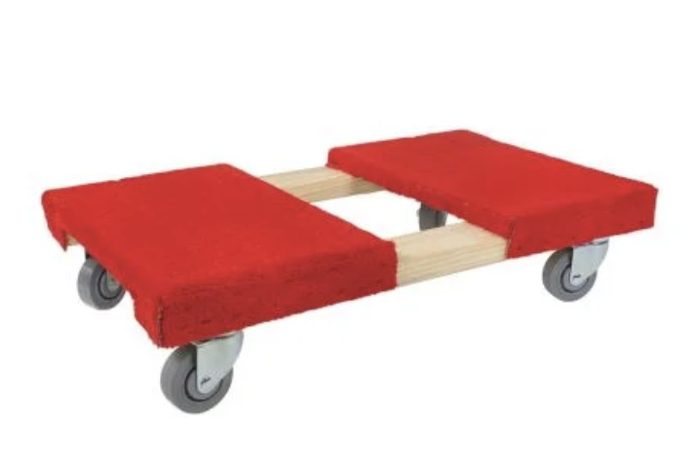 |
| Speedpack | Packaging Exchange | 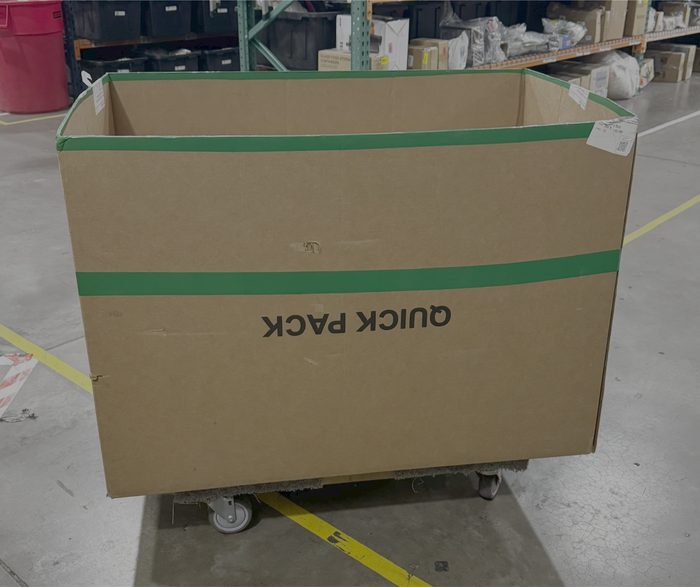 |
| Panel Cart | Uline H-3174 | 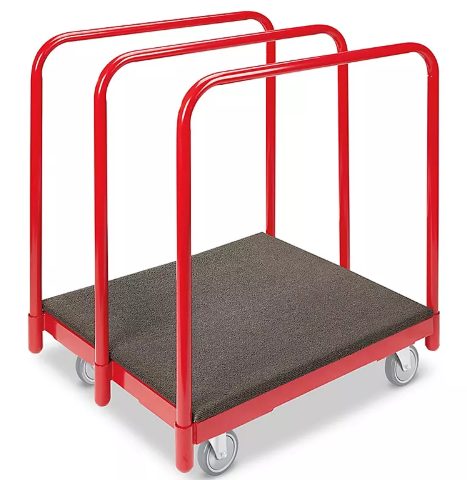 |
| Lanyard | “3134 Black Barcode Scanner Sling Lanyard” Amazon -3134 | 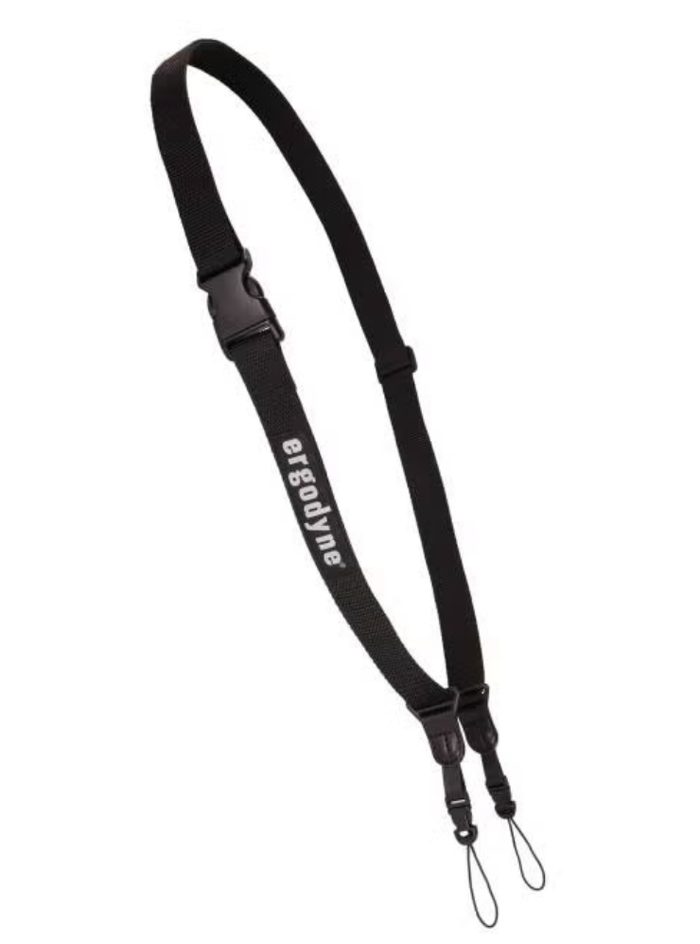 |
| Safety Vest | “Reflective Safety Vests with Pockets, High Visibility Mesh” Amazon - B0D4VKDD8H (think these should be the company vest??) |  |
| Gloves | “Dyneema® Diamond Flex, Cut Resistant Gloves” Uline - S24007 |  |
| Box cutter | Uline / H-1369 | 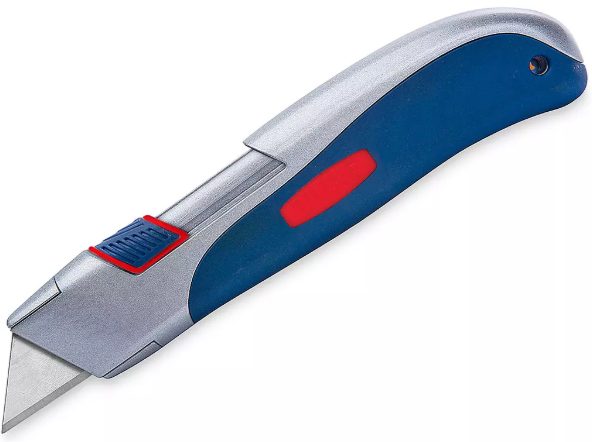 |
| Scissors |  |
|
| Tape | Dongguan Green Packing Products Co., Ltd / PT1234 | 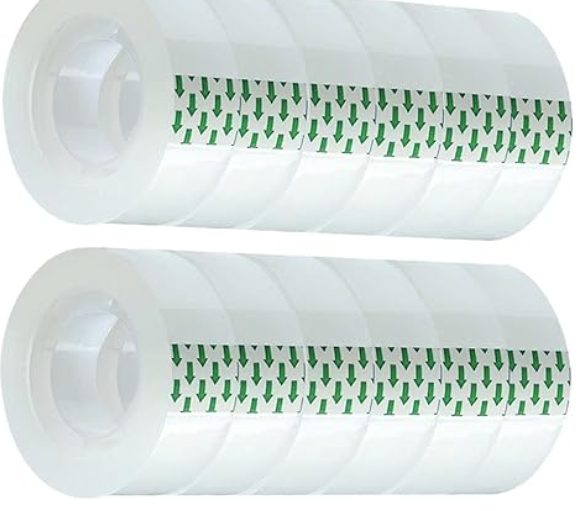 |
| Tape Guns | Uline / H-596 | 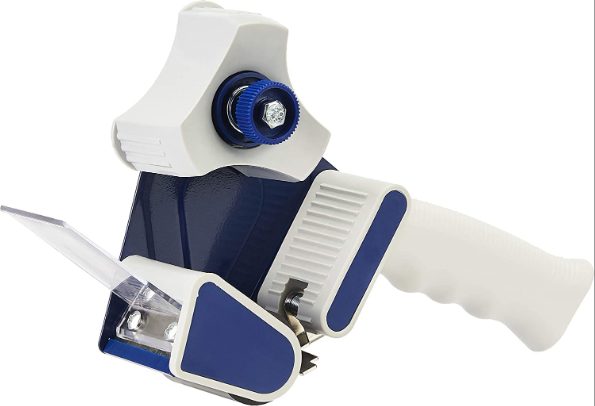 |
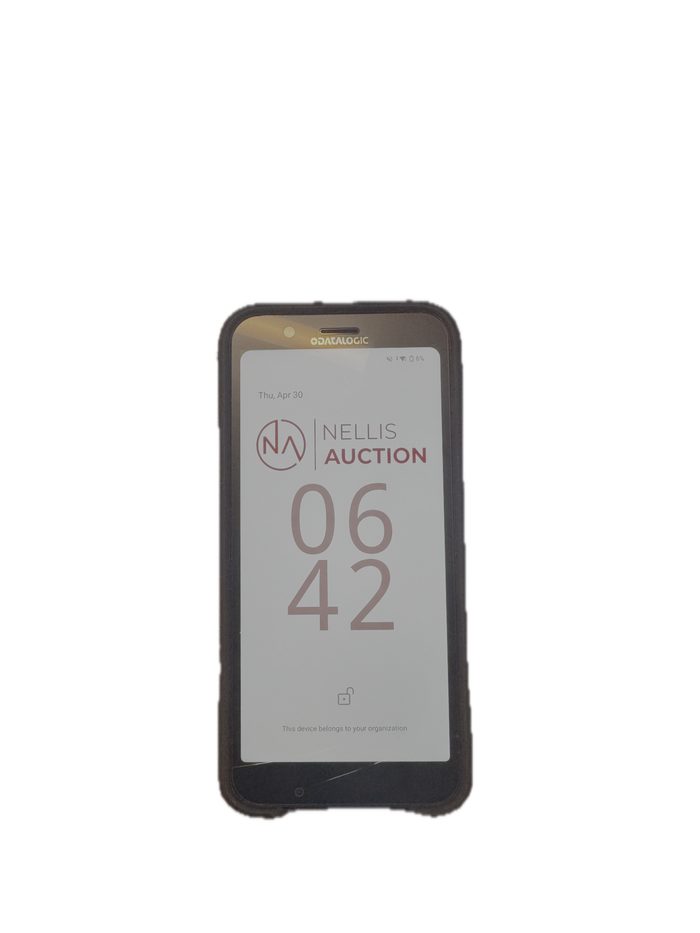
| Scanner | “Datalogics” ScannerDecision Point Technologies - | 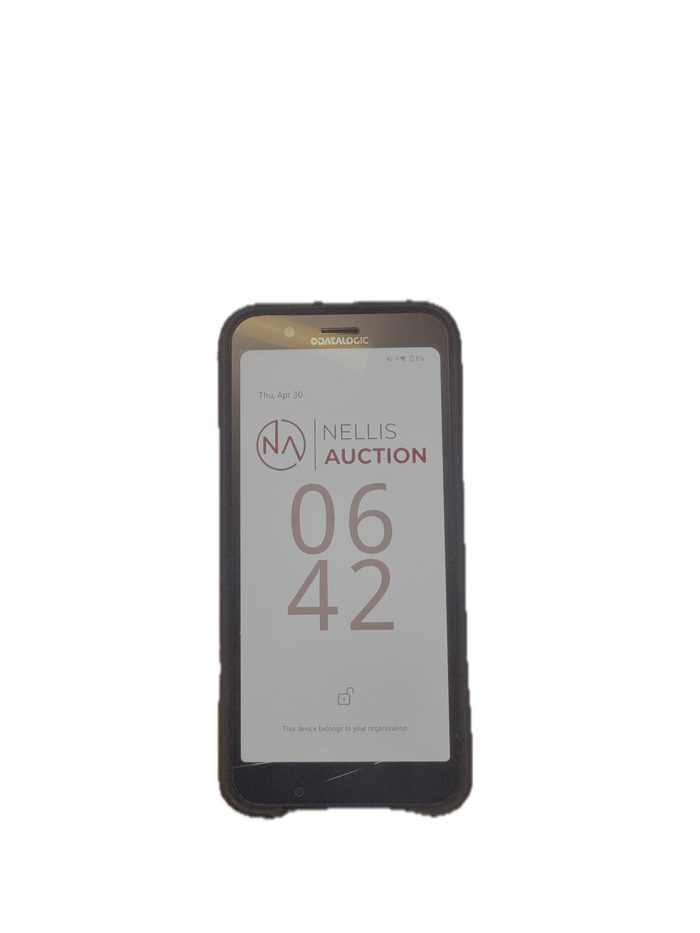 |
Procedures
Start Of Shift
1. Show Up Prepared for Work
Before clocking in, have a water bottle filled, any PPE equipped including lanyards, and bathroom breaks out of the way. Ensure your PPE is 100% for the day: clean vest, lanyard, and personal PPE such as a hat, water bottle, and comfy shoes.
2. Clock In
3.Obtain Scanner
Scanners will be handed out by either a trusted employee, such as a CT or the AM themselves. Make sure the person handing out equipment properly notes the device's condition. The AM may have a designated location where the employees can grab pre-checked-out scanners, so check with the AM for procedures.
4. Equip Scanner
Attach scanner to lanyard. Scanners should always be attached to lanyards and lanyards should always be worn outside. This is a non-negotiable standard and is part of “The Nellis Standard.”
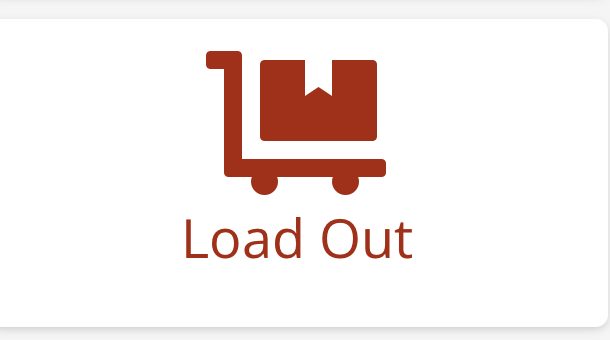
Switching to Load out - If assigned to do load out, the Load Out team member will switch from picking in the app Cargo and choose the "Load Out" option from the operations screen.
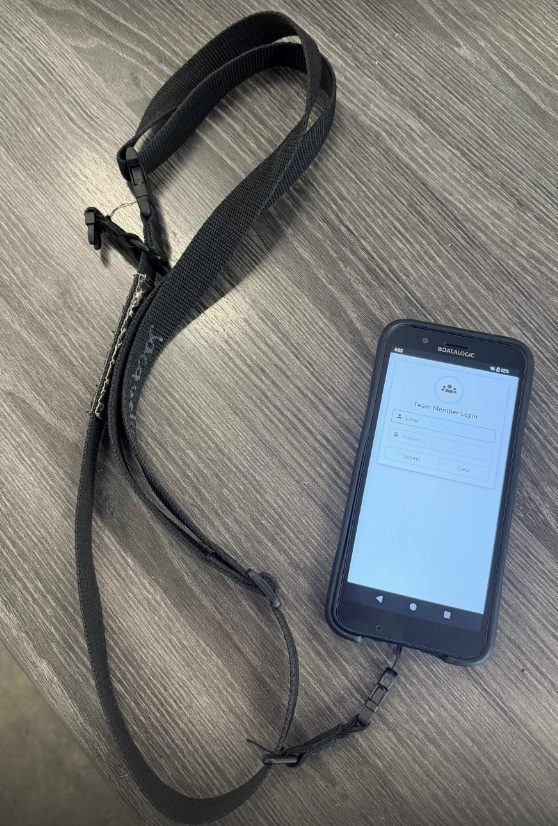
Logging in to Cargo
The Load out Team member will log into Cargo and choose Operations from the Main screen
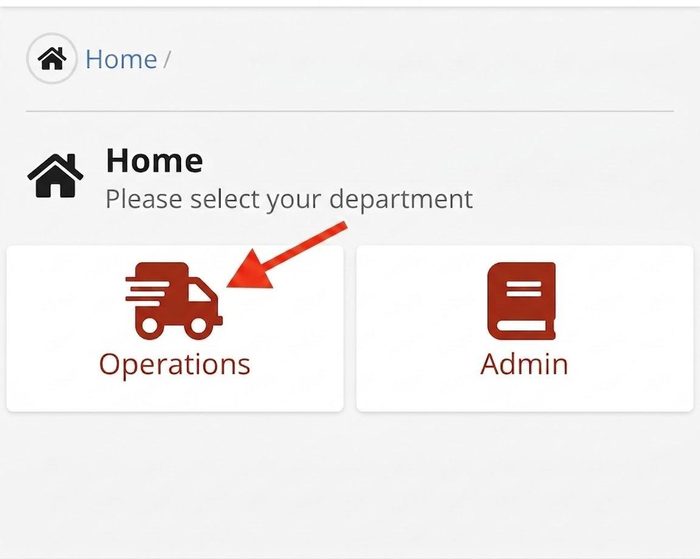
Logging in to Cargo
The Load out Team member will log into Cargo and choose the LOAD OUT OPTION from the Operations Screen
Accepting a Load Out
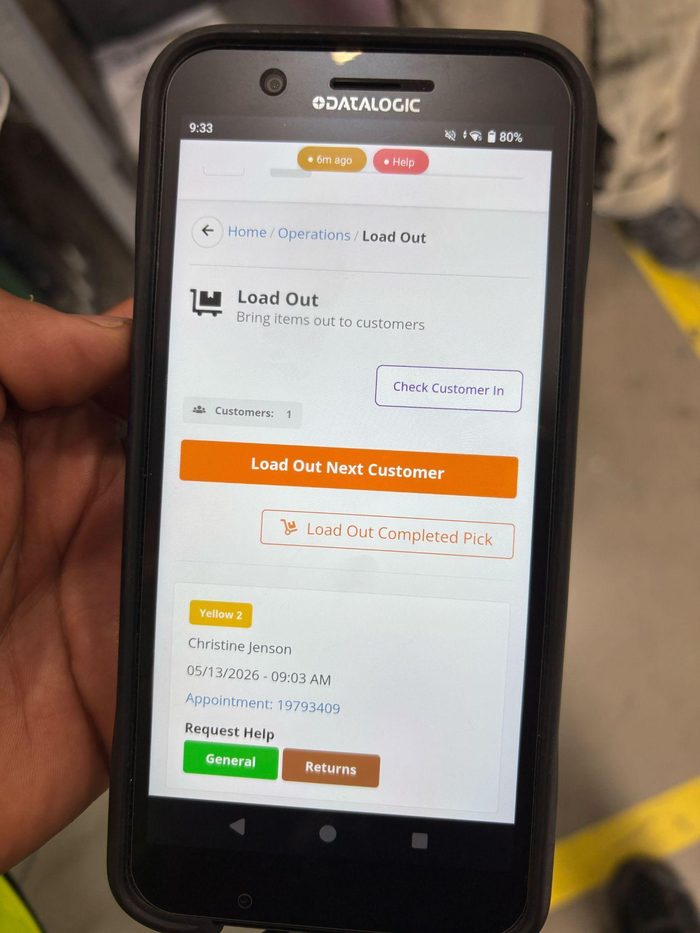
Load Out team members will observe customers who are ready to be loaded out. The Load Out associates need to accept the customer order on their scanner by utilizing the orange button
labeled "Load Out Next Customer."
Finding Your Load out
After the order has been acknowledged by the team member, the scanner will present order information, including:
- Consolidation location
- Number of items
- Lot numbers
- Customer Name
- Appointment Time
- MIssing items (if any are missing including LOT number)
- Parking Space the customer is checked into
Subsequently, the team member will navigate to the appropriate consolidation location to locate the order.
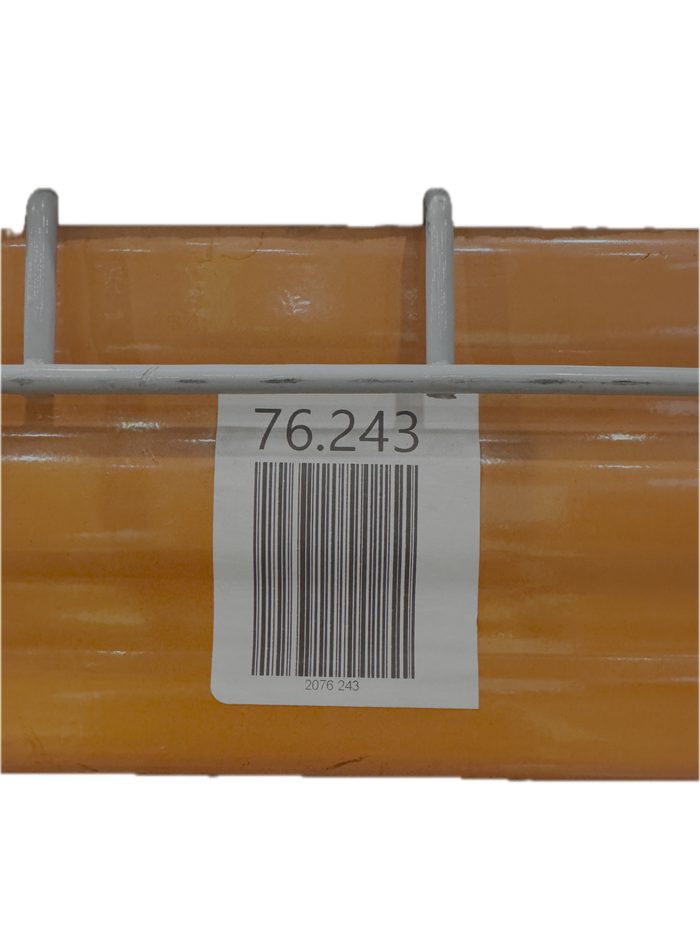
(Numbers go in the following order: Aisle.Bay.Section.Level
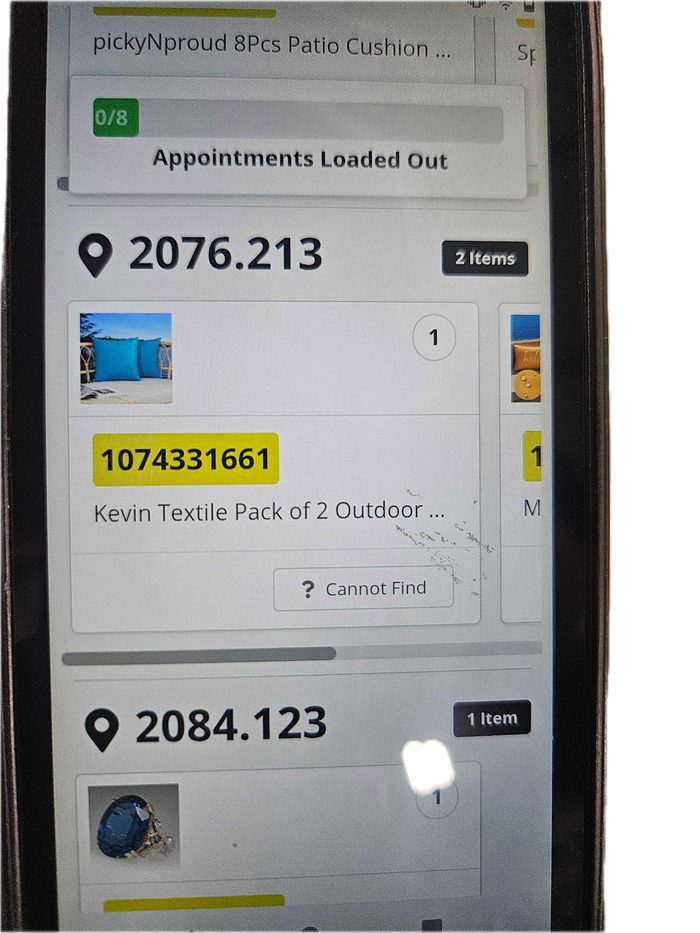
This example shows a load out with 8 orders attached
In this example, all 8 orders will need the loadout completion done separately. After confirming the first, the next one will automatically pop up. It will also have the same progress bar.
Verify the load is accurate
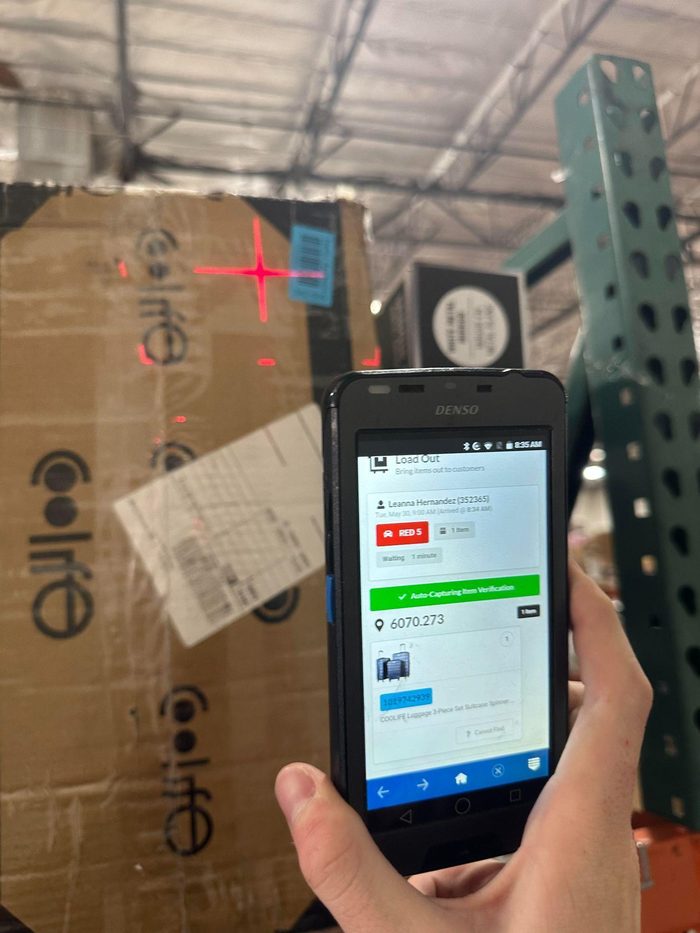
Once you have located your order(s), verify the information on the scanner matches the name and quantity on the white label and scan one item from the order to verify the item is part of the order. If this is correct, you will get a GREEN SUCCESS across your scanner. If incorrect, you may have the wrong order, or there may be an item that is not meant to be part of the order (See exceptions)
In this example, the load out team member is picking up an order of 25 items
If the order label states there is a pallet with the order, please notify the manager you will need a forklift operator to load out the customer with you. (phx writes pallet on the label ID)
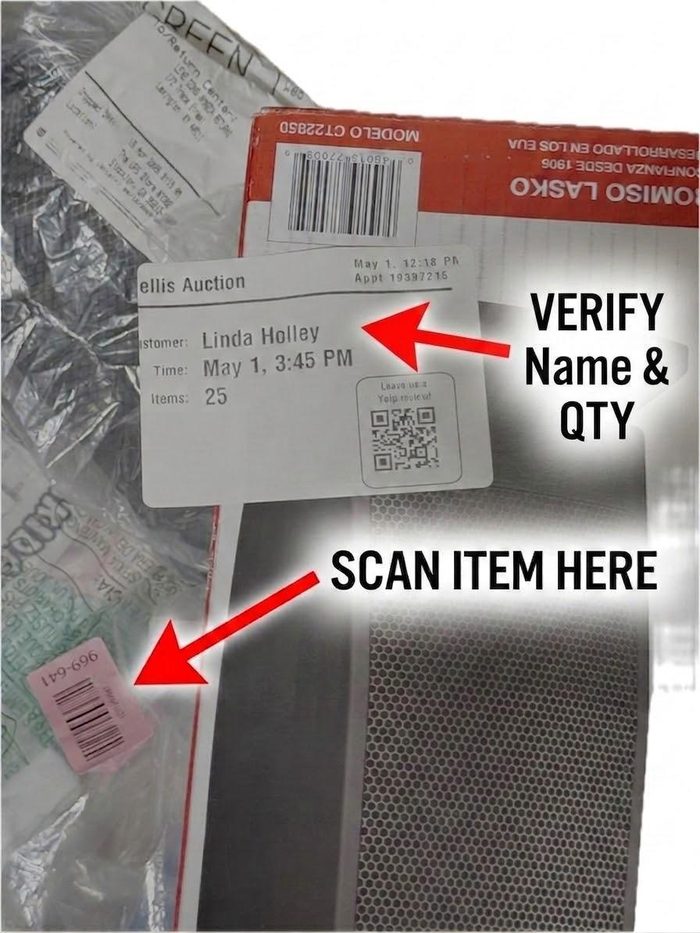
Once the correct order is verified, you will deliver the order to the parking space assigned to the scanner
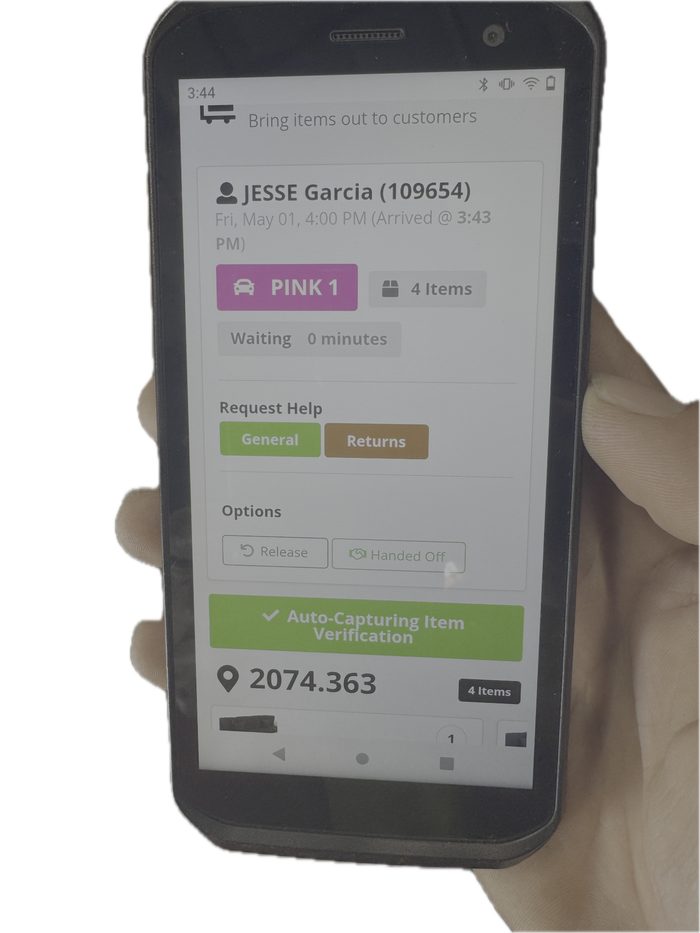
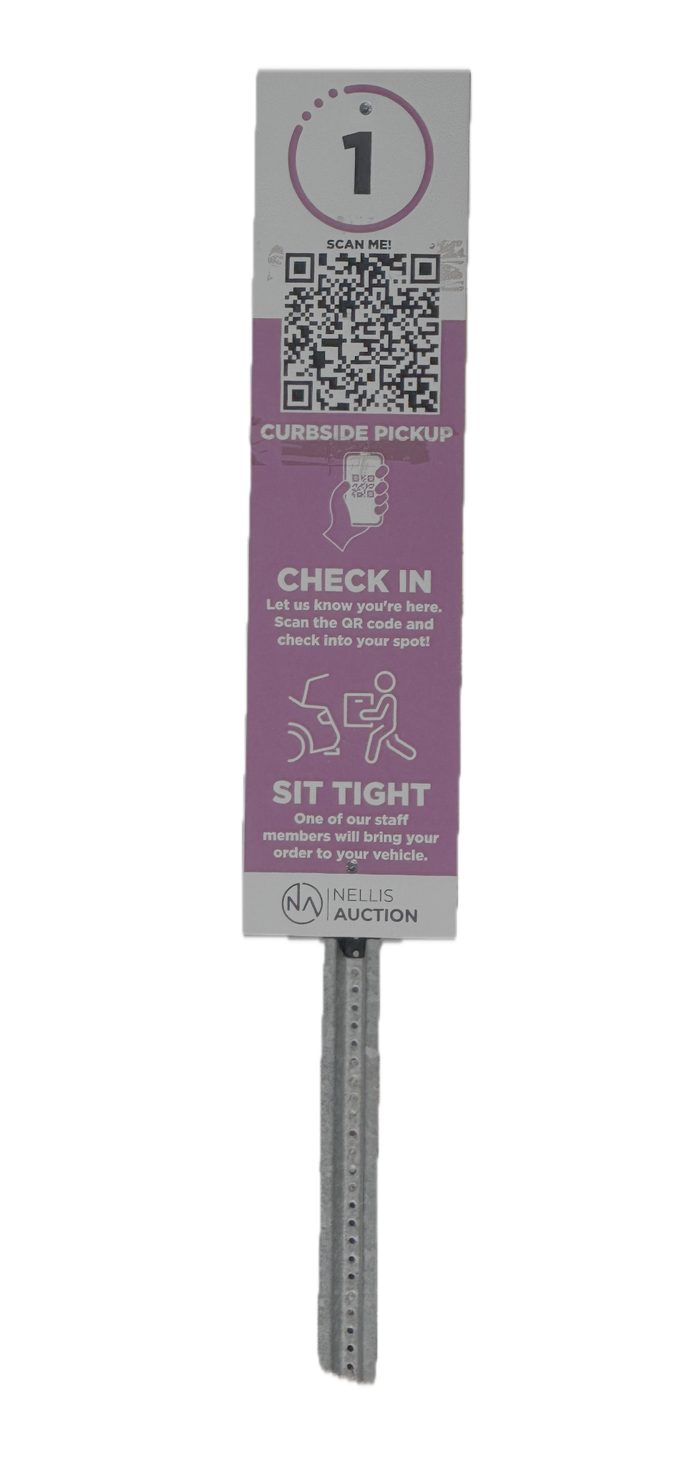
Delivering (Loading out) orders to the customer’s car
- Once you arrive at the parking space on your scanner, Follow the WINNER script for LOAD OUT and ask the customer in the space what their name is to match what is on your load ID.
L = LEAD “Congrats on your win”
O = ORGANIZE “Where would you like your items?”
A = ASSIST “Anything else I can assist you with?
D = DEPART “Thanks for winning with us”
- If there is no one at the parking space, you will need to partner with a lot attendant to see if your customer was moved to a new location
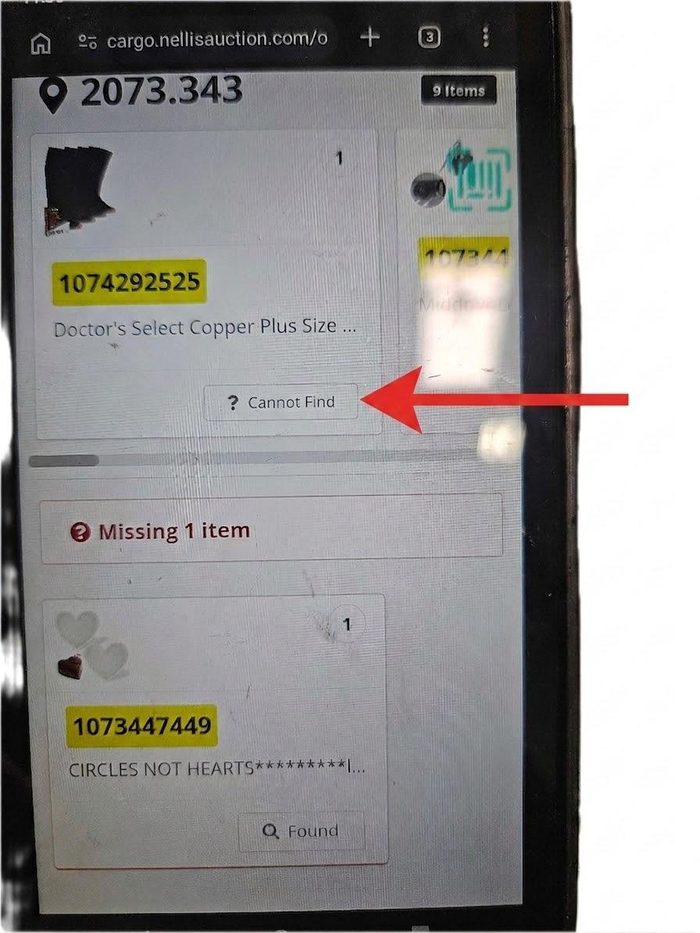
- If unable to locate the customer anywhere, or the correct customer is not parked in the spot, you will need to take the order back inside to your manager to make them aware
- Once the manager is aware, the order should be completed and placed in stash
- Always let the customer know how many items are in the order and if there are ANY missing items
- Your scanner will tell you if anything is missing from the order and which item(s) it is. It is important to share this information with the customer.
- Always ask the customer if they need any help loading the items.
- After assisting with loading, ask if they need any further support (for example, returns)
- After asking if there is more support needed, please remove all unnecessary tape from the order and panel cart (when applicable)
- Notify the closest lot member; if not, see AM to share the message. It is important to address all issues as quickly as possible.
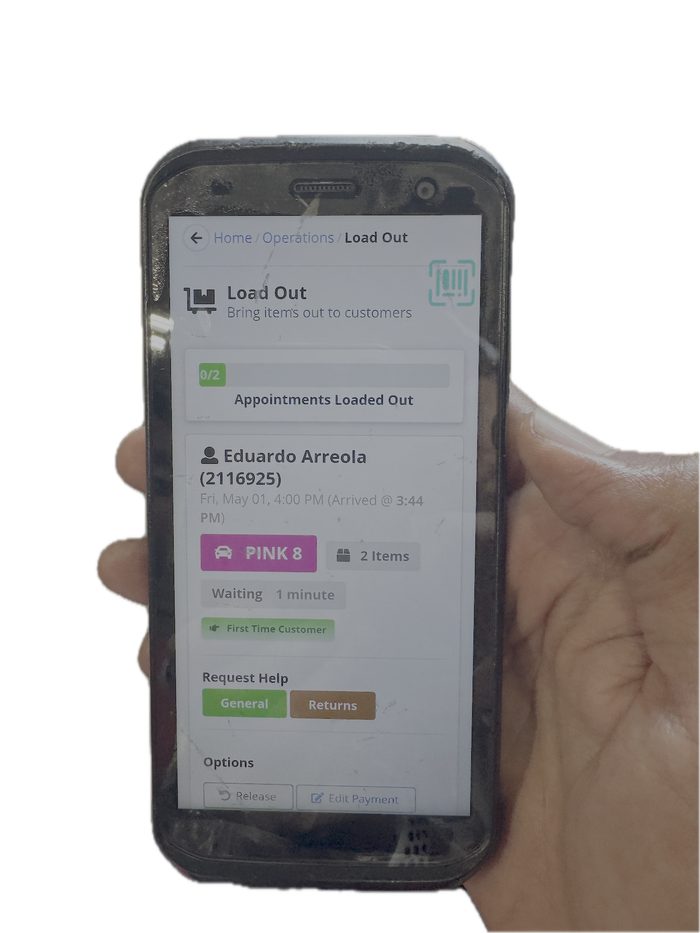
Completing the Load out
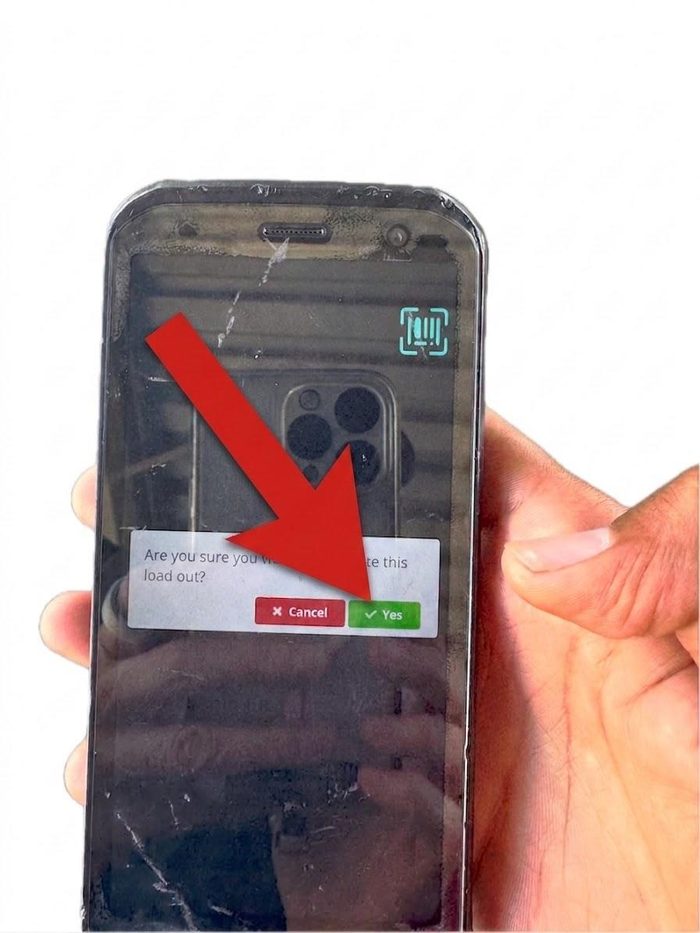
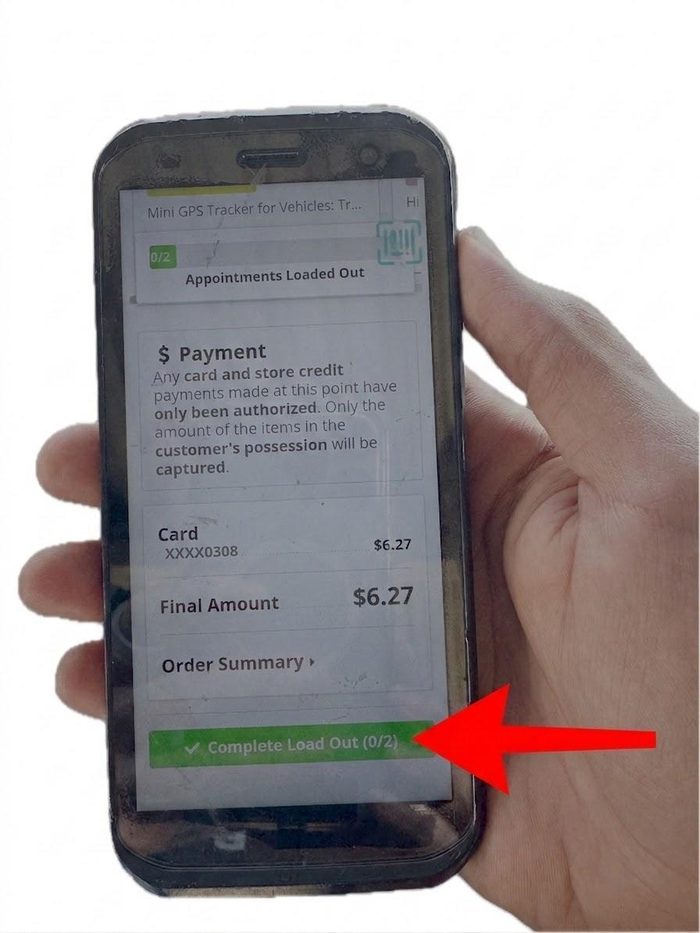
Once the order is verified and handed over, you may now COMPLETE the load out, and if you see other customers in the queues, accept them immediately as you head back inside
- If you have multiple orders for one customer, it will tell you to complete each load out individually before cleaning off the scanner.
- If the customer self-checks in via QR code, they will be asked for a 4-digit PIN before completing the loadout. You need to get this pin from the customer, as it is the last 4 digits of their phone number. Once you enter the correct code, you can complete the loadout.
- As you are done servicing your customer, please say “thanks for winning with us.”
- Any lingering Material handler equipment seen on your way back is to be brought inside to maintain a clean and safe lot.
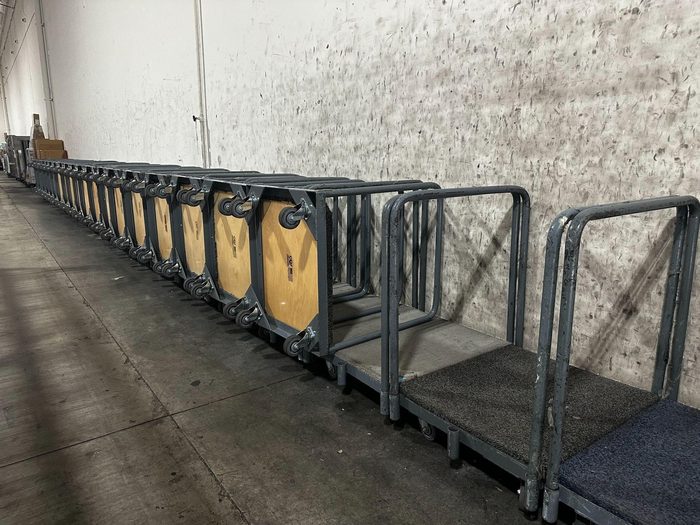
- When loading out using speed packs, carts, or bins, please ensure you take these back from the customer or point them to the cart corral. (This helps us remain efficient and safe in our lots)
- If the customer has any customer service related issues, let them know someone will be right over who can better assist
Process Flow Diagram
The following diagram provides a visual overview of the end-to-end process flow. Refer to the Procedures section for detailed step-by-step instructions.
WHAT FORMAT DOES NELLIS USE FOR PROCESS FLOW MAPPING????
The Nellis Standard
The following standards are extracted from this SOP and represent the key observable, auditable behaviors and outcomes that define excellence in this process. These standards feed into the Nellis Auction master audit framework.
Every load out is a chance to win a customer for life. We operate with full accountability—delivering the right items to the right customer—driving consistently great experiences that keep customers coming back.
Quantitative Metrics
Later Loadout % - The % of total appointments loaded out, where it took us longer than 60 seconds to accept the loadout. Goal: < = 20%
PPH – Points per hour. The number of points an individual employee earns in one hour for the collective direct actions they perform (i.e. loading out). Goal: > = 100pph
Gap Time – The amount of time, measured in minutes, but typically reported as a % of total time where an employee was not in an active state performing direct work. Although there are acceptable levels of gap time expected for all employees, the goal is generally to minimize this as much as possible. Goal: < = 10% (example: 10% x 570 mins = ~ 57 mins).
Observational Metrics:
Employee Active State – Employees are actively finding value-add work to do during slower periods, namely picking, organizing, and cleaning when necessary. Employees are rarely observed congregating in an unproductive state.
Customer Queue – Although queuing is expected to happen periodically, it is also expected that the operation is staffed appropriately and reacts quickly to turn vehicles over efficiently and reduce wait times for customers via temporary upstaffing/labor share, increasing safety/traffic coordinators and minimizing inefficient movements and activity.
Loadout employees complete the loadout workflow via Cargo only once they have completed the physical process of loading the customer vehicle.
Loadout employees always wear their company-approved safety vest and RF device lanyard.
Loadout employees always remain in an active state, servicing the next available customer immediately following completion of the last. Downtime is spent cleaning, organizing, or temporarily picking appointments. The next loadout is accepted as soon as the employee is out of the drive lane, approaching the load out door.
Loadout employees take advantage of every return trip from the lot to the interior of the facility to grab any unused or staged equipment to ensure the lot always remains free of clutter & unnecessary debris.
Loadout employees always remain distraction free; no ear bud/headphone use ever.
Loadout employees execute the LOAD acronym within the WINNER framework to drive consistent customer experiences:
Lead – “Congrats on your wins – can I confirm your name for the order?”
Organize – “Where would you like your items?”
Assist – “Anything else I can assist with?”
Depart – “Thanks for winning with us!”
Loadout employees always solicit assistance with heavy lifts and employ proper team lifting procedures to minimize injury and avoid damaging customer vehicles. Employees never perform any act that feels unsafe, even if requested by the Manager.
Although it takes more of our Load Out employees’ time, offer to assist the customer with loading their items. Oftentimes, assisting to load will result in a faster overall cycle time of the parking space, freeing it up for the next customer sooner. Exercise caution with heavy or awkward items, and when in doubt, seek a Manager’s perspective when trying to accommodate larger loads.
Loadout employees always yield to oncoming customer traffic, use clear hand signals to gesture to the customer when necessary, make eye contact when walking in front of vehicles, and smile often to express our appreciation for their business.
Upon returning to the indoor loadout area, Loadout employees return previously used carts, dollies, speed-packs and other loadout vessels to designated staging areas.
Common Exceptions
| Exception / Scenario | Resolution | Reference Document |
|---|---|---|
| Customer ID Check | Take id and card to manager on duty for approval | [Link or doc name] |
| Customer Escalations | Customers leave feeling heard at minimum and completely satisfied whenever possible. | |
| When you cannot locate an order | Check neighboring consolidation locations (same row, back side, top, bottom, all around), if still unable to locate, escalate to manager | |
| When no customers are on the board | Take a quick minute to cool down, hydrate, and stretch. If there are no customers available for 2-4 minutes, seek manager support for ways to remain productive which include but is not limited to: organizing handling equipment, spidering orders, grabbing a quick pick, working put away close to consolidation. | |
| Load out is requesting a code | Ask the customer for the last 4 digits of their phone number, which will be the 4 digit pin you need to complete your loadout. |
Customer Id Check -
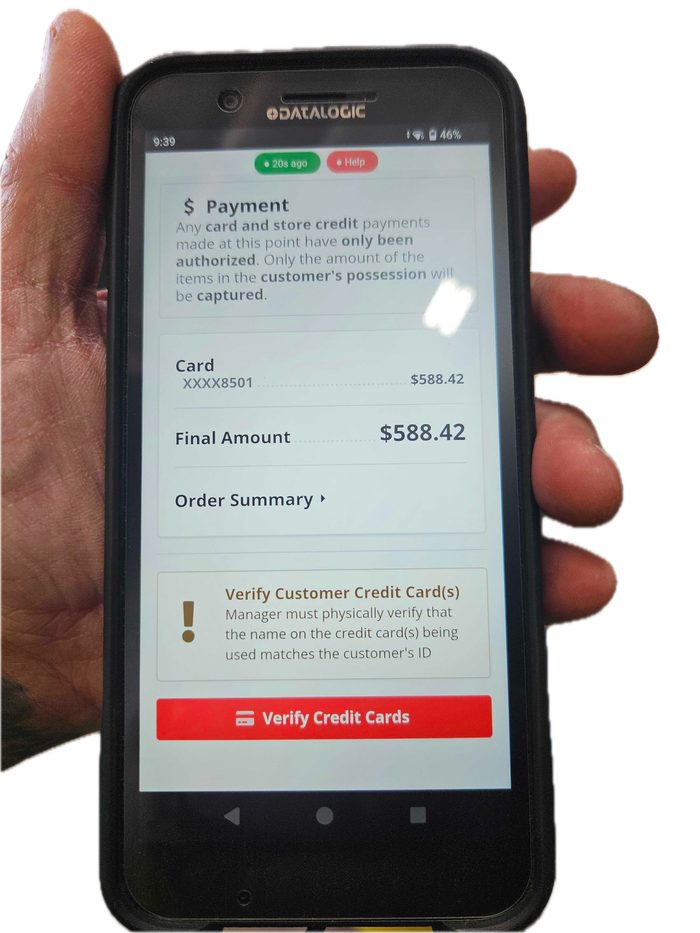
There may be times when you are asked to check and verify the customer's ID and credit card.
- This is completed at the AM level, as they must give approval and scan the barcode
- Inform the customer, “Hi we need to verify your id and credit card.” Would you mind sharing this with me, if you prefer, the manager can be called out as well.
- If the customer inquires why, “Higher dollar purchase require verification of what we have on file for yourself and this is to protect you and Nellis.”
Customer Escalations -
- If a customer tells you they have items to return, let them know you will get a lot attendant over quickly who can take care of them. Let the lot attendant know prior to you going back inside
- If a customer asks to use the restroom, politely let them know that we do not have public restrooms available
- If a different customer than the one you were loading out asks for your support in lifting/loading an item as you are heading back into the building, you may assist them. If a team lift is required it is preferred that you call for assistance to lift rather than relying on the customer to assist.
- If a customer is visibly upset or you feel you need support, let the customer know you will notify a “lot" member to come over to support and let the AM know on your way back.
- If the customer is not able to self-regulate, i.e., swearing, shouting, etc., politely let the customer know you are grabbing a manager and leave.
- It is important to remain calm and professional at all times, stop engaging, and seek support through your manager.
- We encourage a polite walk away to grab the manager on duty versus interacting with someone who cannot self-regulate.
- It is NEVER okay to swear at, strike at, or be disrespectful to our clients regardless of their behavior.
When you cannot locate and order -
- What to do when you cannot find your order?
- Check neighboring locations (same row, back side, top, bottom, all around)
- If not found, seek AM guidance.
What do when the load is requesting a code -
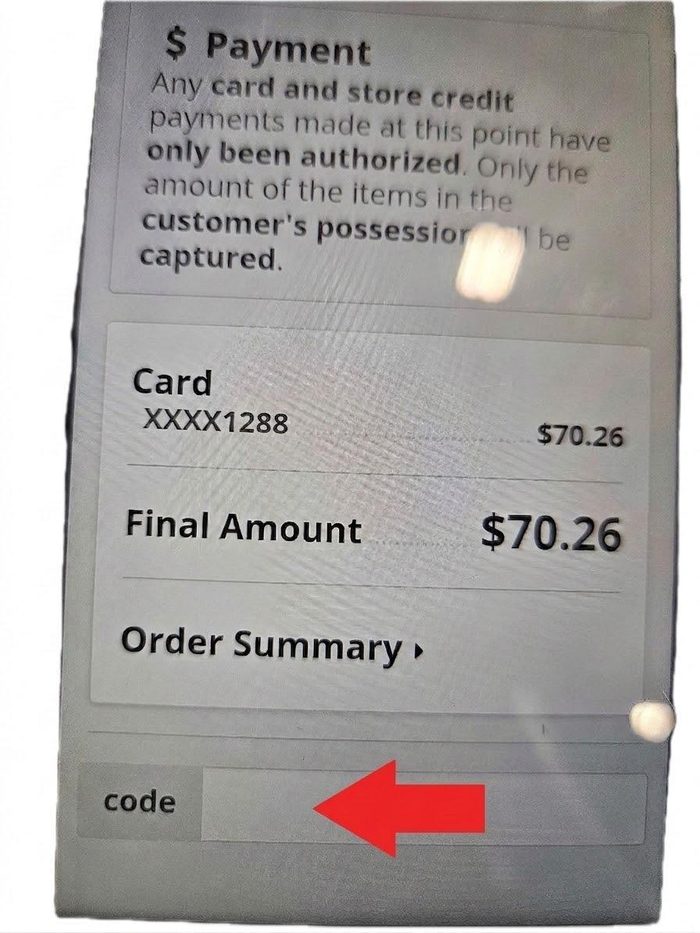
When a customer utilizes our self check in process (IE scanning the barcode on the parking spot) this is a safety feature to insure you load out to the correct customer. When you arrive simply ask for their code and enter into the space as shown above. This will allow you to continue with the loading process.
When there are no orders on the board
- When there are no customers on the board for extended periods of time, seek your AM for a role to remain “productive.”
- Spider orders
- Collect carts
- Help your peers in the lot
Supporting Job Aids & Forms
| Document Name | Description | Link / Location |
|---|---|---|
| Job aide Load out | Further details and pictures of running a load out | https://docs.google.com/document/d/1tIJPk0hGJ5cAlySD5eWvq4O9cLEuk1EN7RjcjQbbNJs/edit?tab=t.bw0i9amz1ldt |
Training & Certification
| Training Requirement | Audience | Frequency | Delivered By |
|---|---|---|---|
| Initial Onboarding Training | New Hires | Day 1 | Certified Trainer |
| SOP Update Training | All Team Members | Upon SOP revision | Certified Trainer / Area Manager |
Certification Requirements
Team members must demonstrate proficiency in all Load Out steps, Must be 100% on all Audits conducted for Load out a the trunk, must be observed greeting customers and assisting for ## load outs. Must be able to demonstrate how to respond to all common exceptions (PIN request, ID check, and customer escalations.
Sign-off by a Certified Trainer is required prior to working in load out unsupervised.
Quality Control & Auditing
Audit Schedule
| Audit Type | Frequency | Performed By | Documentation |
|---|---|---|---|
| Spot Check | Daily | Area Manager | Audit Log |
| Formal Processing Audit | Monthly | Ops Manager | Audit Report Template |
Non-Conformance Handling
If a team member deviates from this SOP, the Area Manager will conduct an immediate coaching conversation. Repeat violations escalate to the Ops Manager and will result in corrective action.
Safety & Compliance
Safety Requirements
- If an order is too heavy or too large for you to deliver on your own it is essential you request a team lift to avoid risking injury.
- During peak hours and or in extreme heat; please notify your AM whenever you require a cool down or water break / refill. (3 minute cool down as needed)
- Try to travel on designated cross walks, remain vigilant keeping a good 360 view of your whereabouts. Call out trip hazards, or poor driving to safety Coordinator/ area manager
- Always come prepared to work with a water bottle, hat, sun screen, electrolytes as needed, cooling rag, and comfortable safe shoes.
- It is essential to wear your company-provided safety vest and lanyard per Nellis Uniform policy
Incident Reporting
Any safety incident, near-miss, or compliance violation must be reported to your Area Manager immediately. The Area Manager will complete the appropriate incident reportThe Safety Hub report form and notify the Ops Manager. Do not wait until the end of your shift to report an incident. A near miss can constitute nearly being hit or struck by material handling equipment, tripping on the road, a car backing towards you creating a need for an emergency stop of the vehicle or our equipment nearly hitting a client or their vehicle, and or the start of heat illness (ie slightly clammy, feeling off). These are examples and not all encompassing. An Incident constitutes the above examples actually taking place