
Standard Operating Procedure
Warehousing Putaway
Warehousing, Putaway · All Nellis Auction Locations
| Document ID | |
| Version | SOP_Operations_Putaway_05.11.2026_V1 |
| Effective Date | 5/12/2026 |
| Process Owner | Warehousing Area Manager SOP Originally Authored by: Denver Leadership Team |
| Department | Warehousing, Putaway |
| Facility | All Nellis Auction Locations |
Purpose
The purpose of the Putaway Standard Operating Procedure is to clearly outline the required steps to safely, accurately & efficiently Putaway processed inventory. This SOP serves as the foundational reference for all Putaway assigned associates at Nellis Auction.
Scope & Audience
Warehouse team this SOP covers all aspects of Putaway Activities at Nellis Auction, Exceptions, Safety, And Operational Excellence.
Warehouse Team Members, Area Managers, Operations Managers, and Certified Trainers.
Roles & Responsibilities
| Role | Responsibility | Description |
|---|---|---|
| Warehouse Associate | Putaway | Employees will be responsible for putting away all processed goods into the designated racking. |
| Area Manager | Overview | Managers will ensure that processed goods are placed in their designated racking type so that capacity is used to its fullest and cleanest. |
| Certified Trainer | Training | Certified trainers will be responsible for training all new employees in the Putaway function and showing them Cargo navigation and proper safety regulations. |
Definitions & Key Terms
| Term | Definition |
|---|---|
| Putaway “Items” (Cargo) | This will be the function in Cargo you use when putting away items |
| Putaway "Container to Rack” (Cargo) | This is the function in Cargo you use to assign a container to a rack. This process needs to be performed when placing a new bin on a rack. Once done, this Container is ready to receive newly processed items. |
| Putaway “Container to Container” (Cargo) | This will be the function in Cargo you use when consolidating one bin into another to empty a bin out. |
| Small Putaway | This is any processed item that can fit into a bin. |
| Medium Putaway | This is any processed boxed item that is too large to fit in a bin but too small to be thrown into XL-designated locations. These items get put away onto designated racks normally located near small products. |
| X-Large Putaway | This includes any item larger than a microwave, such as bed frames, refrigerators, mattresses, etc. These items are normally put away onto the floor underneath the racking in designated locations. |
Required Supplies & PPE
| Equipment / Supply | Supplier / Item Number | Photo / Reference |
|---|---|---|
| Dolly | “Carpeted Dolly W 4” castors” Packaging Exchange | 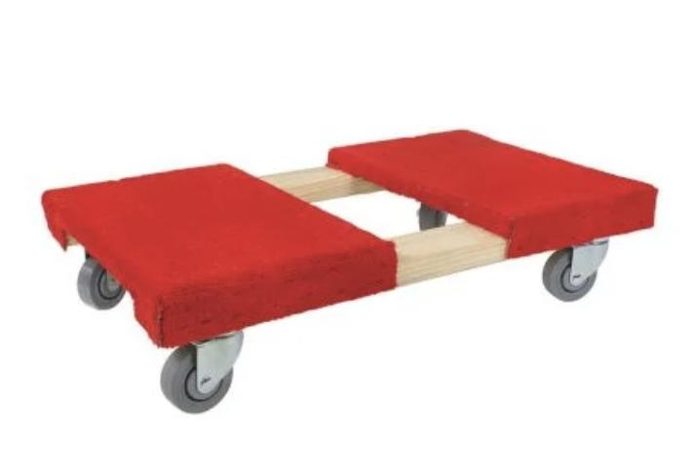 |
| Speed Pack | Packaging Exchange | 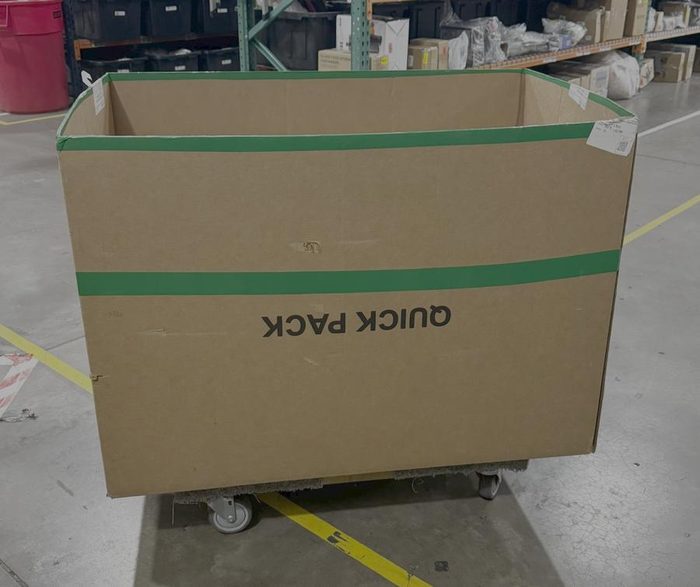 |
| Panel Cart | Uline H-3174 | 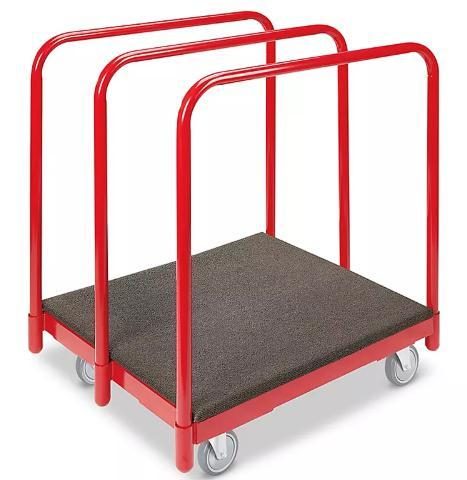 |
| Lanyard | “3134 Black Barcode Scanner Sling Lanyard” Amazon -3134 | 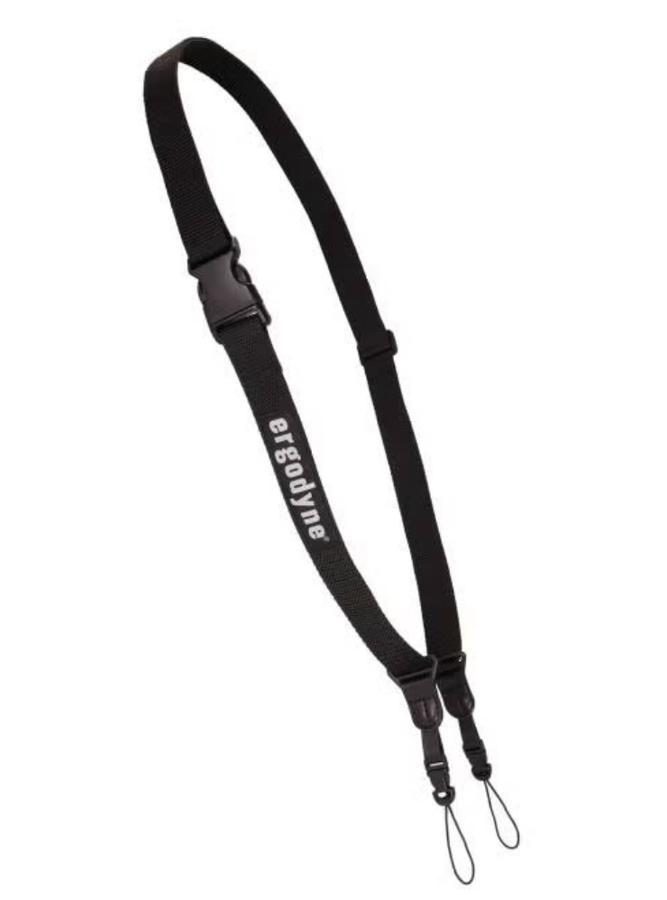 |
| Safety Vest | “Reflective Safety Vests with Pockets, High Visibility Mesh” Amazon - B0D4VKDD8H |  |
| Gloves | “Dyneema® Diamond Flex, Cut Resistant Gloves” Uline - S24007 |  |
| Box cutter | Uline / H-1369 | 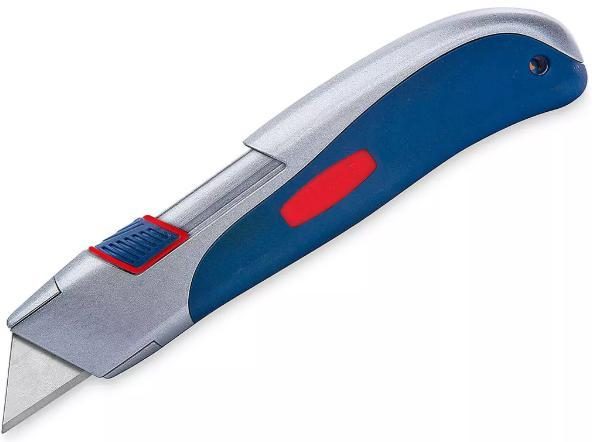 |
| Tape | Dongguan Green Packing Products Co., Ltd / PT1234 | 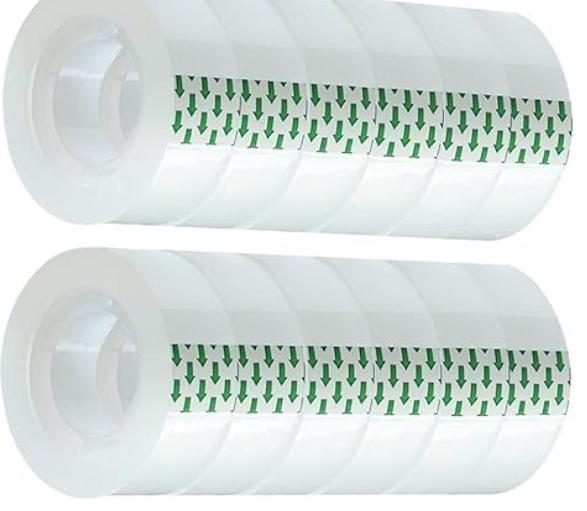 |
| Tape Guns | Uline / H-596 | 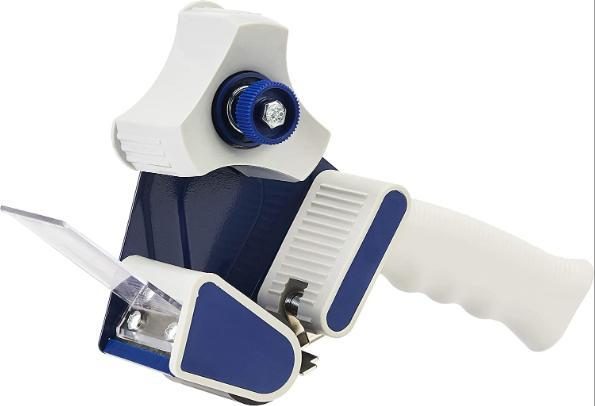 |
| Scanner | “Datalogics” ScannerDecision Point Technologies - |  |
Procedures
Start of Shift
1.1: Begin your day by coming in ready to work and prepared with all PPE (Vests, Lanyard, Attitude and Effort, ETC…
1.2: Clock in for the day through Paylocity
1.3: Grab a scanner and check the scanner out by its warehouse-specific “Device Release Sheet.”
1.4: Once the scanner has been checked out, connect your scanner to its lanyard and begin your day.
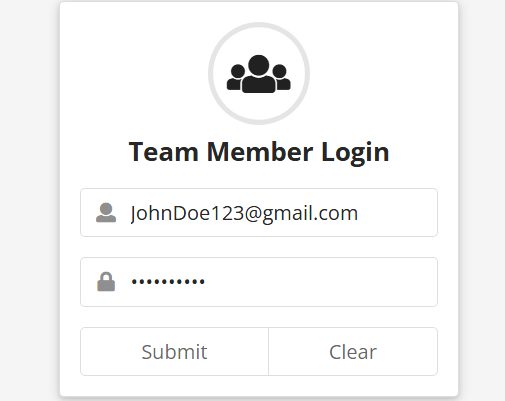
Log into Cargo (Nellis Auction’s Proprietary WMS)
2.1: Sign into Cargo with your email and password credentials.
Starting Putaway
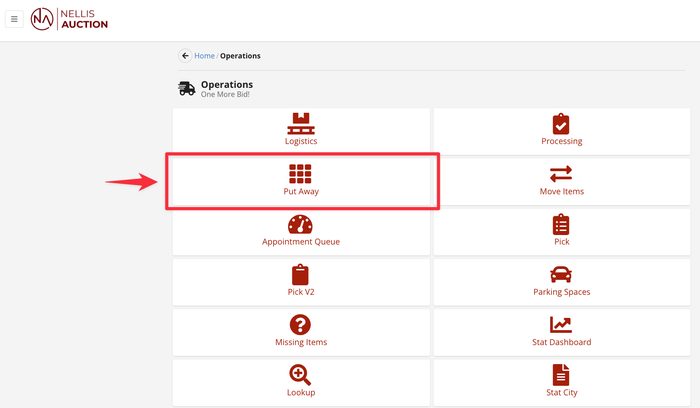
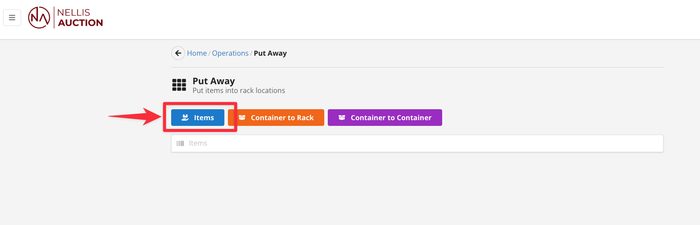
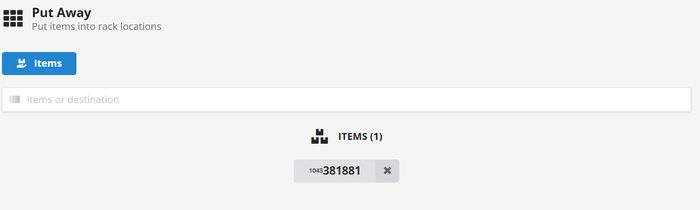
3.1: You will then click on the “Putaway” option and then “items” to begin putaway.
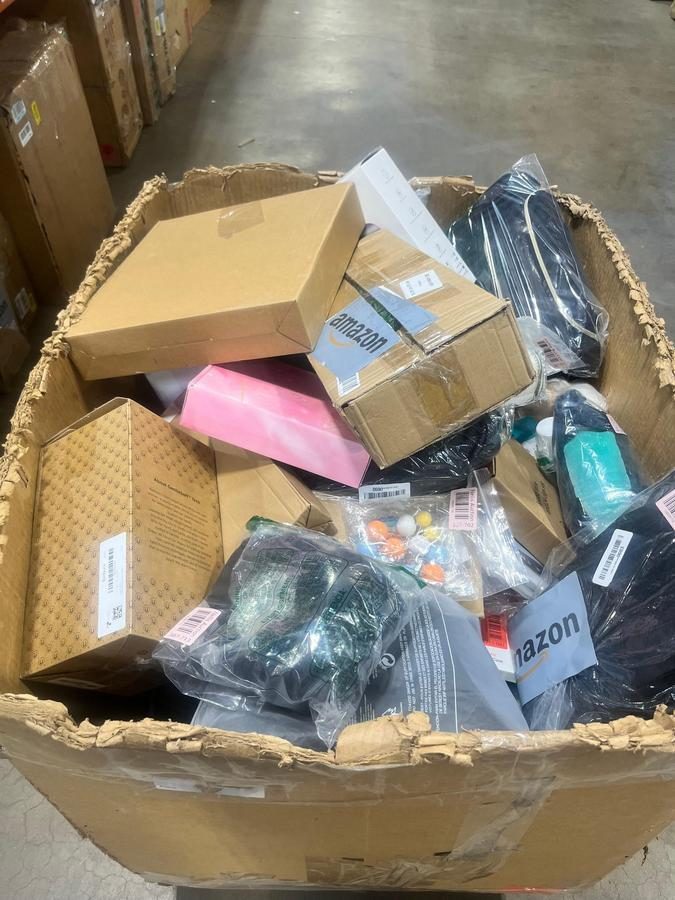
3.2:Processed goods are staged on the end caps of aisles closest to the processing stations. Once there, you will grab your cart full of product and begin to find a home for this product.
Finding Your Location
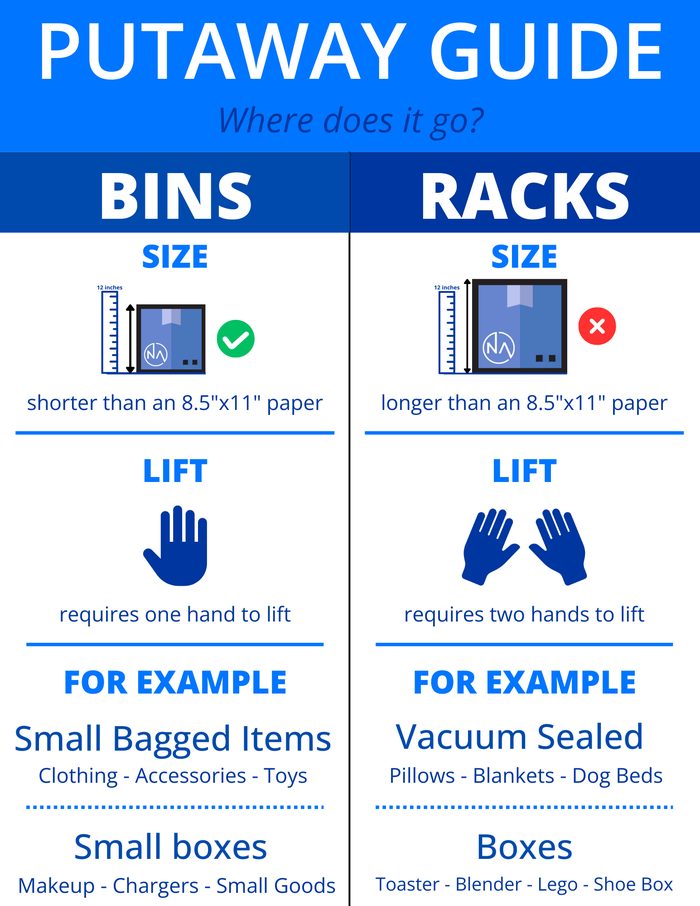
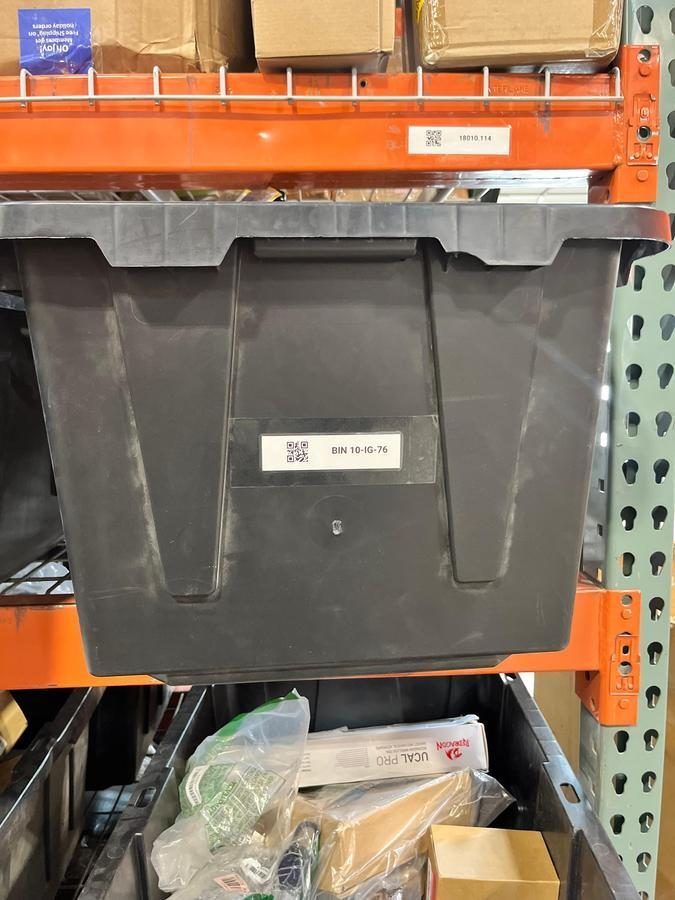
4.1: You will then take your product to its designated racking areas (Smalls in Bins, Mediums on racks, and XLs on Floor)
4.2: Once in the proper area, you will find the right spot to put your item away.
Verifying Barcodes
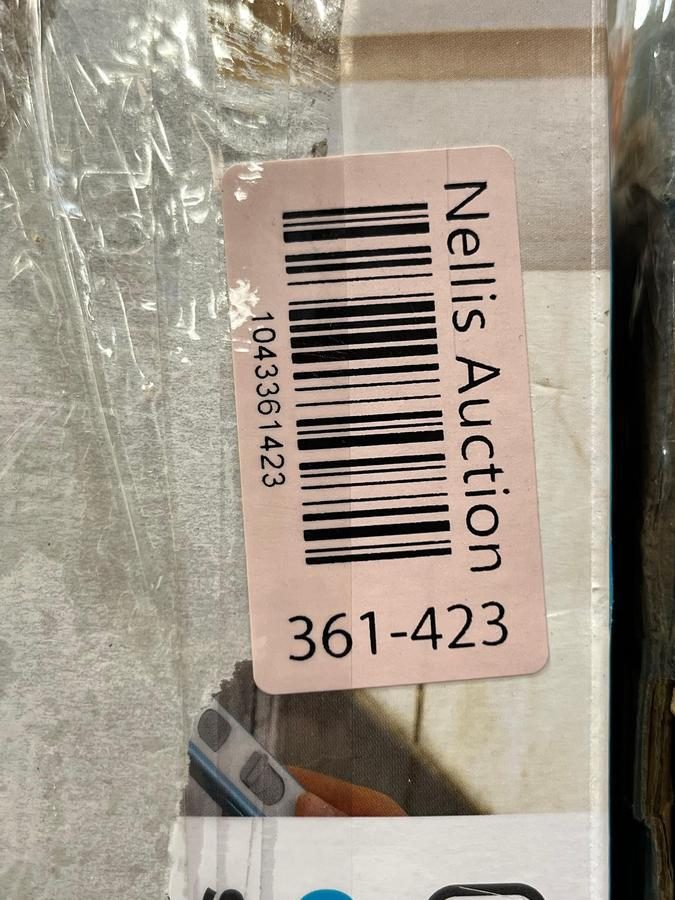
5.1: Once in the desired location, scan the inventory number and putaway in location.
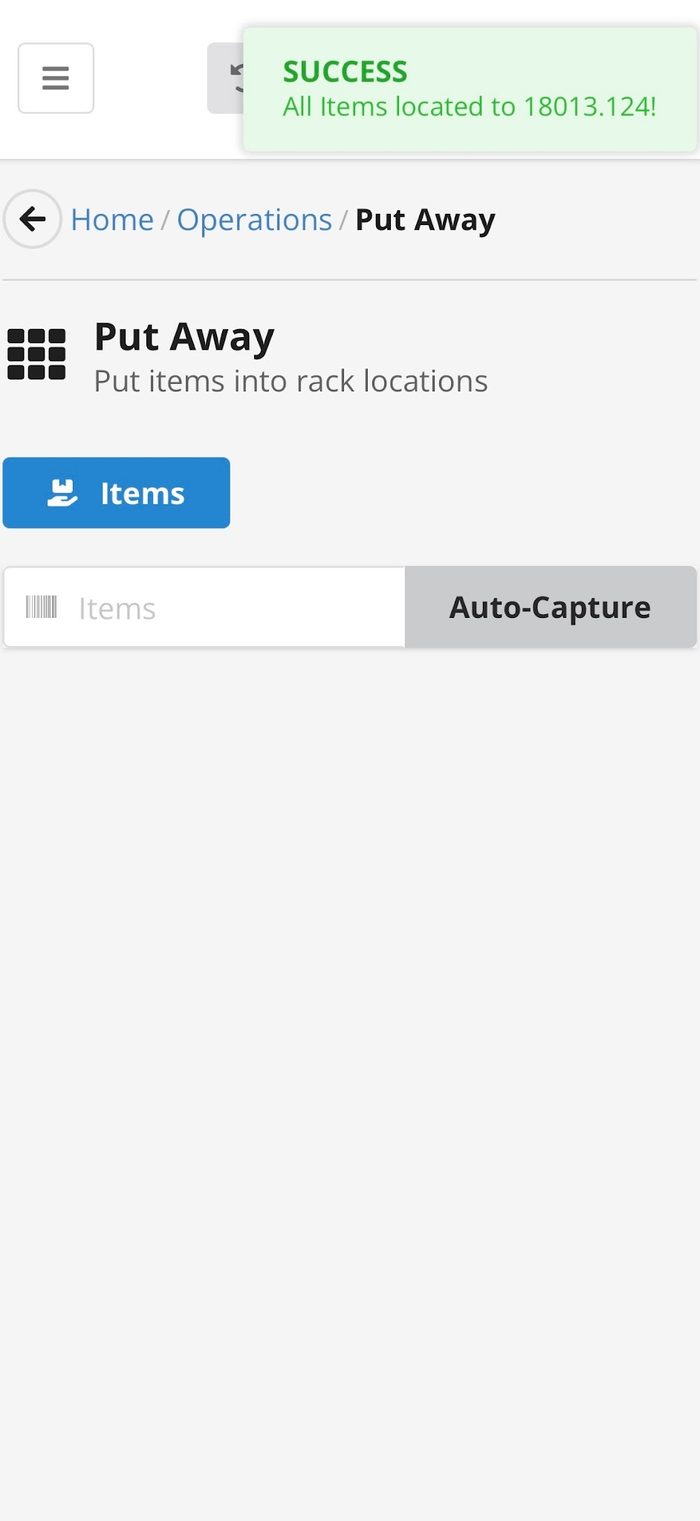
Green Success
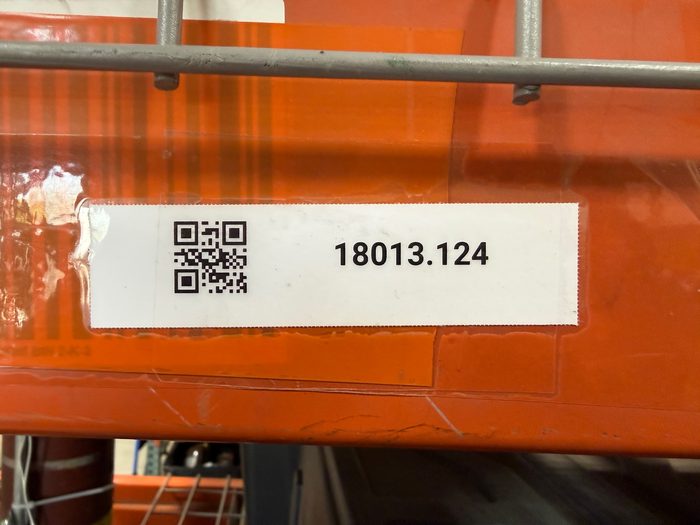
6.1: Finally you will scan the item into the QR code location.
6.2: Once you get the Success box in the top right corner, you have successfully put the item away!
6.3 Repeat, verifying you get the green success message every time.
Process Flow Diagram
Visual overview of the end-to-end process flow.
[Process flow diagram not yet available]
The Nellis Standard
Key observable, auditable behaviors and outcomes that define excellence in this process.
The following standards are extracted from this SOP and represent the key observable, auditable behaviors and outcomes that define excellence in this process. These standards feed into the Nellis Auction master audit framework.
Putaway is the foundation of inventory integrity. Every item must be physically organized and accurately logged in Cargo — stored correctly, scanned consistently, and 100% traceable at all times.
Quantitative Metrics:
• Processed, Not Putaway — The % of items processed, typically viewed as a same-day metric, that have not received a corresponding putaway scan to a storage location. Network goal: <=1%.
• PPH (Points Per Hour) — The number of points an individual employee earns in one hour for the collective direct actions they perform (e.g., loading out). Goal: >=100 PPH.
• Gap Time — The amount of time, measured in minutes but typically reported as a % of total time, where an employee was not in an active state performing direct work. Goal: <=10% (example: 10% × 570 mins = ~57 mins).
Observational Metrics:
• Employee Active State — Employees are actively finding value-add work during slower periods, namely picking, organizing, and cleaning when necessary. Employees are rarely observed congregating in an unproductive state.
Putaway racks are organized with appropriately sized items placed in correct rack elevations and free from toppling inventory, severe overhang, and excessive stacking or overfilled bins.
Putaway employees use appropriate equipment to put away inventory of varying sizes (smalls and mediums in speedpacks or totes, large & XL on panel carts or special oversized dollies).
Systemic putaway is conducted using company-approved Datalogic RF scan devices only; no personal devices, hand-typing or copy/pasting is permitted (except for emergency situations, approved by GM such as wifi/network outage).
Every physical item that is put away receives a corresponding RF scan to the rack location.
Active carts, speed packs and other material handling vessels are brought down rack aisles, not left at aisle end caps. (Keep vessel with putaway employee)
Inventory is placed into storage locations with the smallest face of the box or item pointing outward and inventory stickers are visible to the walk aisle.
The total available putaway backlog should be reasonable, typically representing no more than 1–2 hours of Inventory Processing output. If processing output is exceeding putaway capacity, adjustments should be made to maintain a level-loaded warehouse.
Common Exceptions
| Exception / Scenario | Resolution | Reference Document |
|---|---|---|
| No inventory sticker is present OR duplicate inventory stickers exist | Bring this item to an Area Manager to be further reviewed for next steps. | N/A |
| Error Message (i.e. “Item is Marked as Picked Up” or “Item is Trash”) | Bring the item to a Manager so they can research further. | N/A |
| Box is severely damaged | Grab a tape gun and secure the box with tape. | N/A |
| ”Container to Rack” | To assign a Bin to a rack location you will start by scanning the Bin Barcode in “Container To Rack” and then scanning the Location Barcode located on the beam of the bay. |
Supporting Job Aids & Forms
| Document Name | Description | Link / Location |
|---|---|---|
| [Document Name] | [Brief description of the document] |
Training & Certification
| Training Requirement | Audience | Frequency | Delivered By |
|---|---|---|---|
| Initial Onboarding Training | New Hires | Day 1 | Certified Trainer |
| SOP Update Training | All Team Members | Upon SOP revision | Certified Trainer / Area Manager |
Quality Control & Auditing
| Audit Type | Frequency | Performed By | Documentation |
|---|---|---|---|
| Spot Check | Daily | Area Manager | Audit Log |
| TBD | TBD | TBD | TBD |
All deviations from this SOP will be addressed using a progressive accountability process to ensure compliance and continuous improvement.
Process Steps:
- Journal Acknowledgement
- Initial documentation of the issue.
- Team members acknowledge the expectation and correct process.
- Coaching 1
- First formal coaching conversation.
- Focus on reinforcing correct procedures and expectations.
- Coaching 2
- Second coaching session if behavior continues.
- Additional guidance and clarification provided.
- Corrective Action 1
- Formal corrective action issued.
- Documented performance concern with clear expectations for improvement.
- Corrective Action 2
- Escalated corrective action for repeated non-compliance.
- Corrective Action 3
- Final level of corrective action.
- May result in further disciplinary action up to and including termination.
Expectation: All team members are expected to follow SOP procedures at all times. Failure to comply will result in progression through the steps outlined above.
All deviations from this SOP will be addressed using a progressive accountability process.
Safety & Compliance
This section outlines the safety requirements for Putaway operations, focusing on the safe execution of tasks related to inventory placement and movement. Key activities covered include strict adherence to proper lifting and movement techniques, mandatory use of mechanical aids for heavy or awkward loads, and strict compliance with all rack safety and capacity protocols. It details requirements for ensuring rack stability, proper item orientation, and the secure storage of sensitive items such as corrosives and fragile goods to maintain a secure and orderly storage environment.
Lifting & Physical Safety:
- Use proper lifting techniques by maintaining a wide base, hinging at the hips, and squatting down while keeping the load close to the body.
- Mandatory use of a Team Lift or Mechanical Aid (e.g., dolly/panel cart) for any heavy or awkward load.
- Prior to lifting, conduct a 5-Second Size-Up to test the load and ensure the path is clear of all trip hazards.
- During movement, avoid twisting the torso, instead, lead with the hips and keep the load within the Power Zone (mid-thigh to mid-chest).
Rack Safety:
- Ensure that rack load capacity, orientation, size, chemicals/liquid etc. are taken into consideration to ensure that these items are being stored appropriately.
- Never double stack items or overfill totes.
- Boxes must be placed with the smallest face pointing outward and inventory stickers clearly visible to the walk aisle.
- Store items in a manner that does not pose a falling hazard.
- Ensure boxes are fully placed on shelving, not half on/half off, or unstable in any way and do not protrude into the aisle.
- When storing corrosive products, ensure they are placed in designated cabinets or storage locations, on the lowest possible shelf to prevent splash hazards to eyes/hands in case of accidental tip-over or spill situations.
- Fragile, sharp, or pointy items must be stored on designated shelves to alert employees to the potential laceration or puncture risk during handling.
All safety incidents, near-misses, and hazardous conditions must be reported immediately to ensure a safe work environment and proper documentation.
What to Report:
- Work-related injuries and illnesses
- Near-misses (events that could have caused injury or damage)
- Unsafe conditions (equipment issues, hazards, weather-related risks)
- Vehicle-related incidents in the parking lot
Reporting Process:
- Notify a Manager Immediately
- Report the incident to the Area Manager or supervisor as soon as it occurs.
- Do not delay reporting, even for minor incidents.
- Ensure Safety First
- Stop work if necessary.
- Move to a safe location.
- Assist any injured individual if it is safe to do so.
- Seek Medical Attention (if needed)
- For injuries, request first aid or medical assistance by contacting the Nurse Hotline.
- Call emergency services (911) for serious situations.
- Document the Incident
- Complete The Safety Hub report form with accurate details.
- Include time, location, individuals involved, and a detailed description of what occurred.
- Manager Documentation & Escalation
- The Manager will log the incident according to company policy.
- Injuries/Illnesses: Management to complete Slack notification for awareness. If the incident results in a medical visit, complete the Injury and Illness Incident Report (IIIR).
- Escalate to upper management, EHS or HR, if required.
- Follow-Up
- Follow all corrective actions or safety recommendations provided.
- Utilize the Incident Investigation Form to conduct a thorough investigation if requested.
Expectation:Non-compliance with incident or hazard reporting protocols may lead to formal disciplinary measures. Timely notification is essential to mitigate operational risks and maintain a secure environment for all personnel.